
 Get Routes


# Get Routes — Extract Vue Router routes
# Description
Retrieves loaded routes and displays them in the table at the bottom of the extension. Routes that have not been loaded cannot be retrieved. If no routes appear after a long wait, the target website may not use Vue Router, or it may not have finished loading.
# When to use it
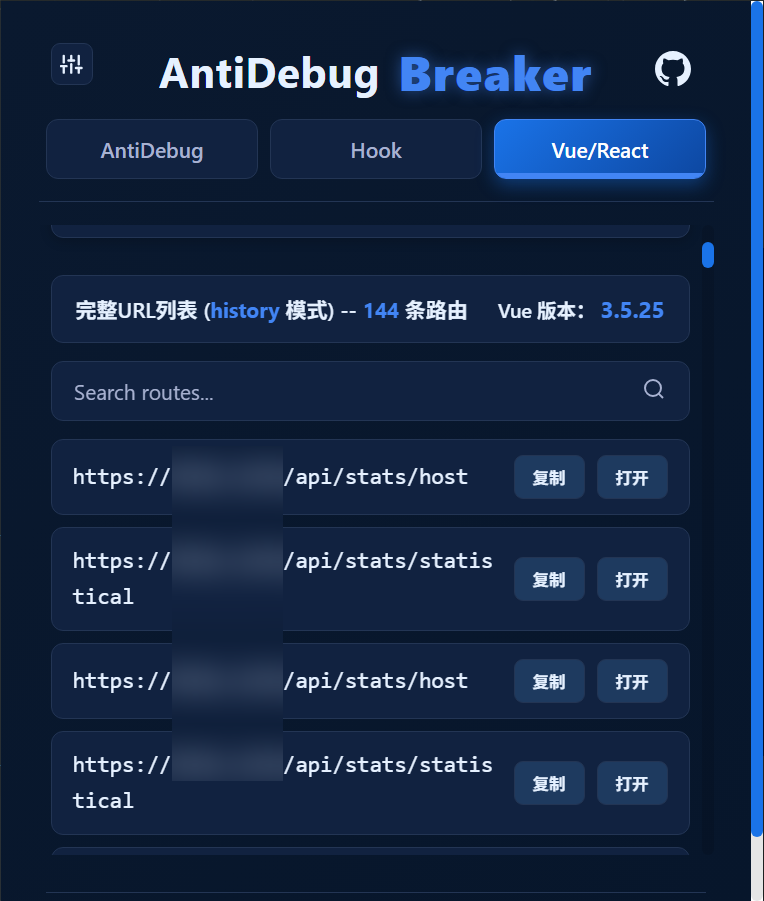
On a Vue website, enable this script to retrieve routes and expand the attack surface you can assess. Example:
# Frequently asked questions
# Some routes are missing
For example, some websites load only routes such as /login, without loading the administration routes:
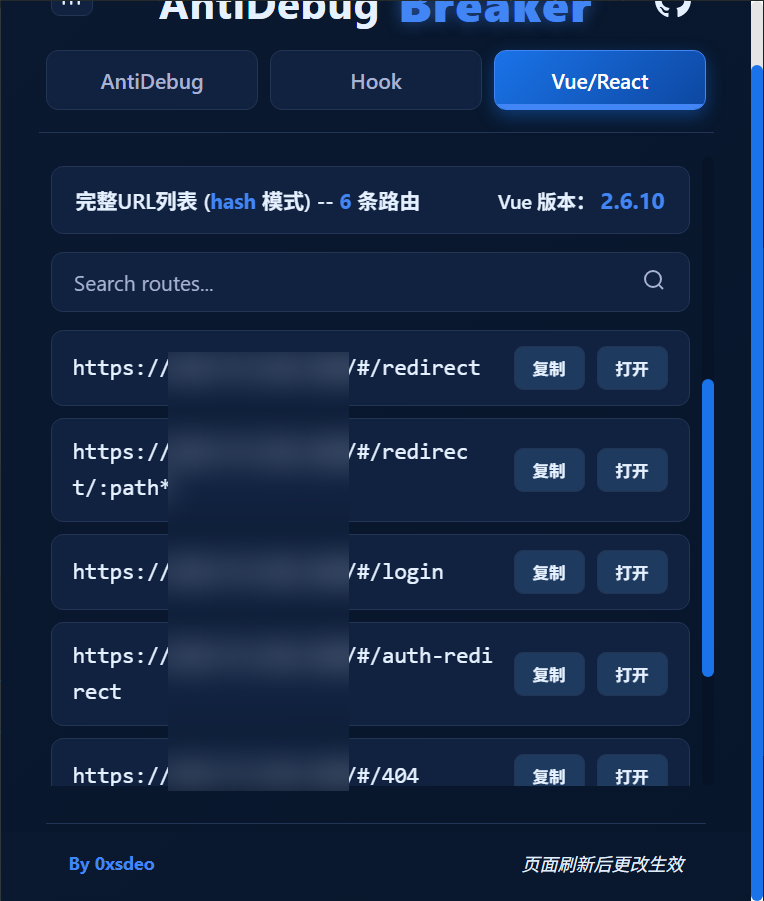
This happens because the administration routes have not been loaded:
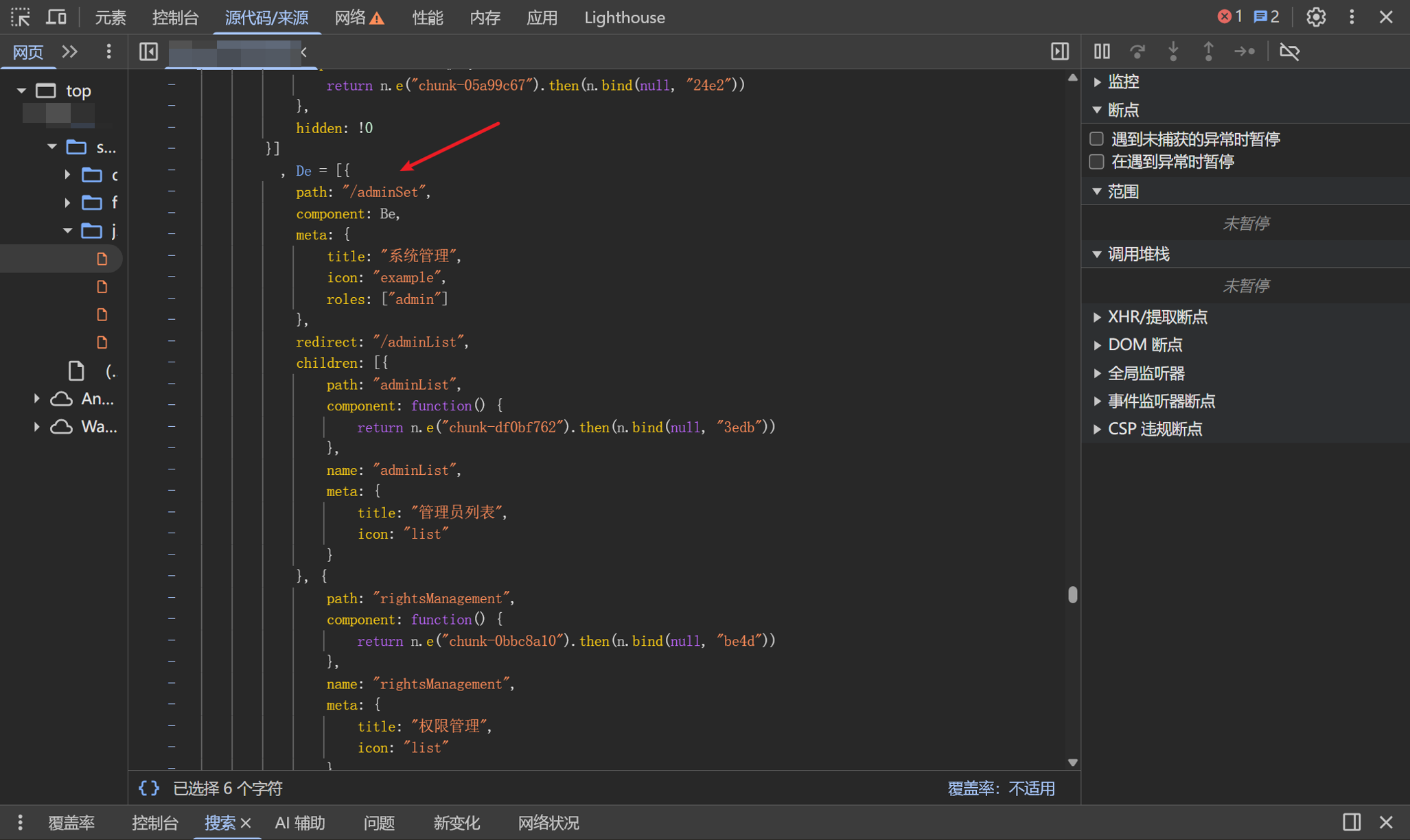
This is the Vue dynamic route attack surface I first documented last year. Here is a practical example. My recommended approach is to include the routes directly when the router is instantiated:
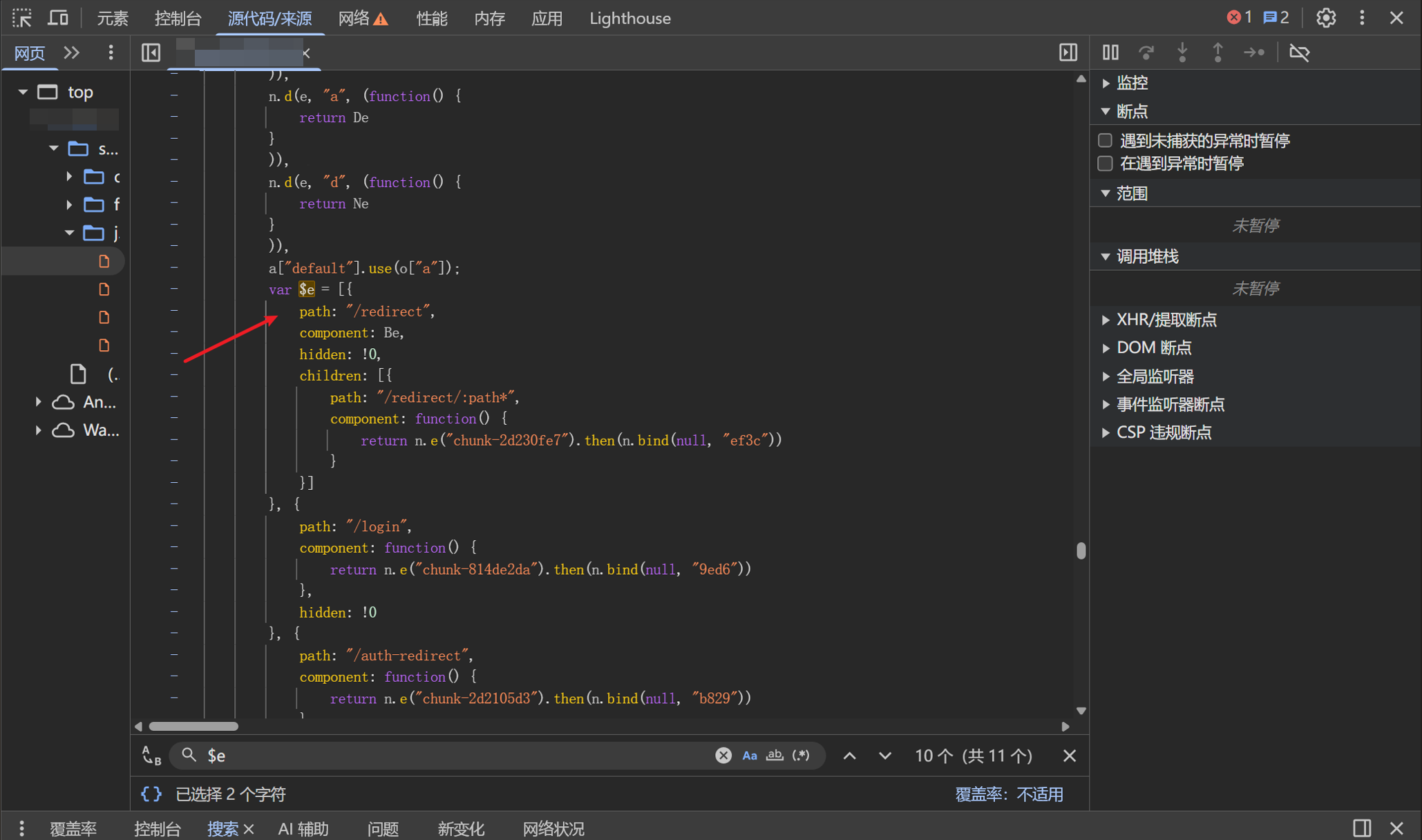
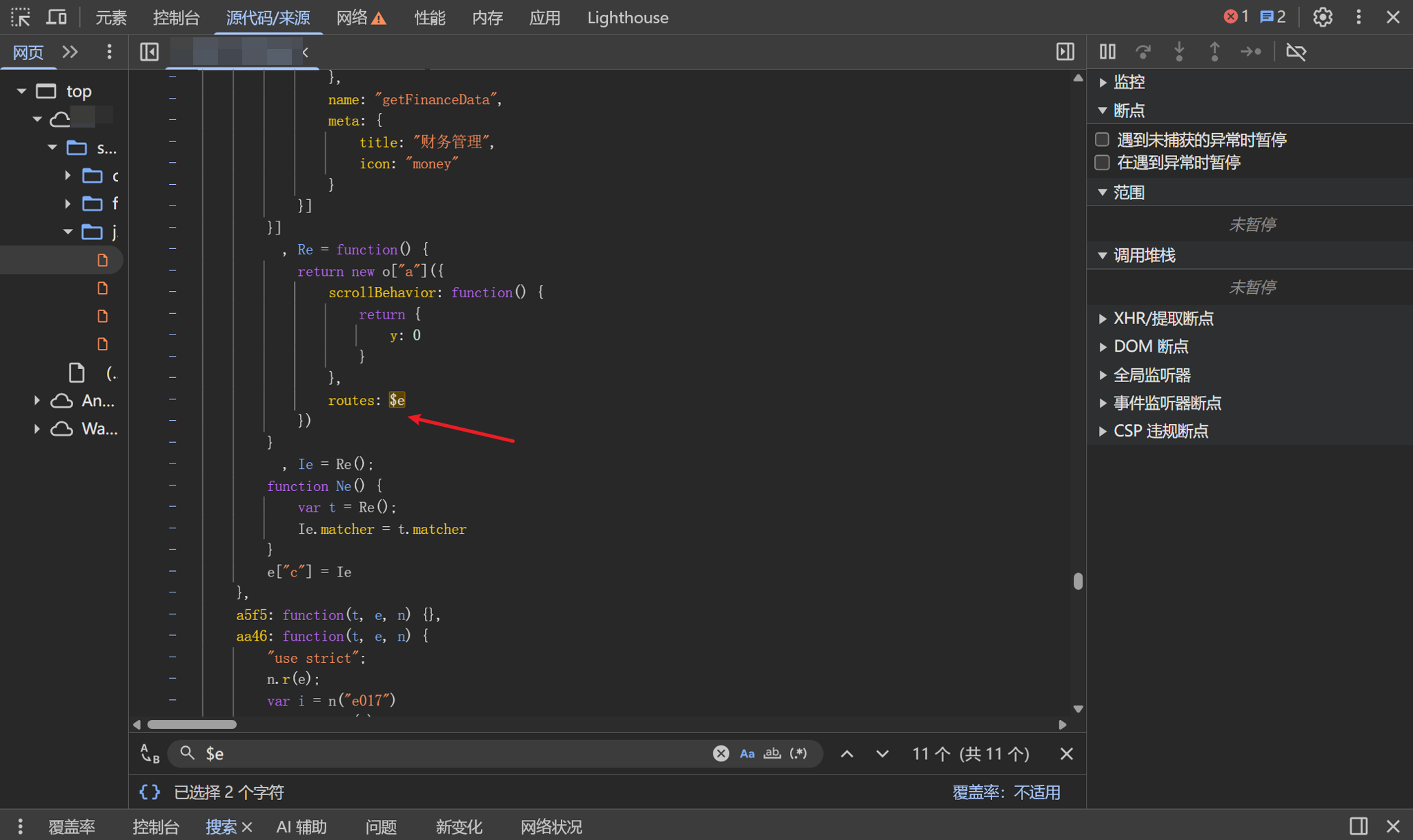
$e contains the loaded routes. Use concat to append the routes that have not been loaded:
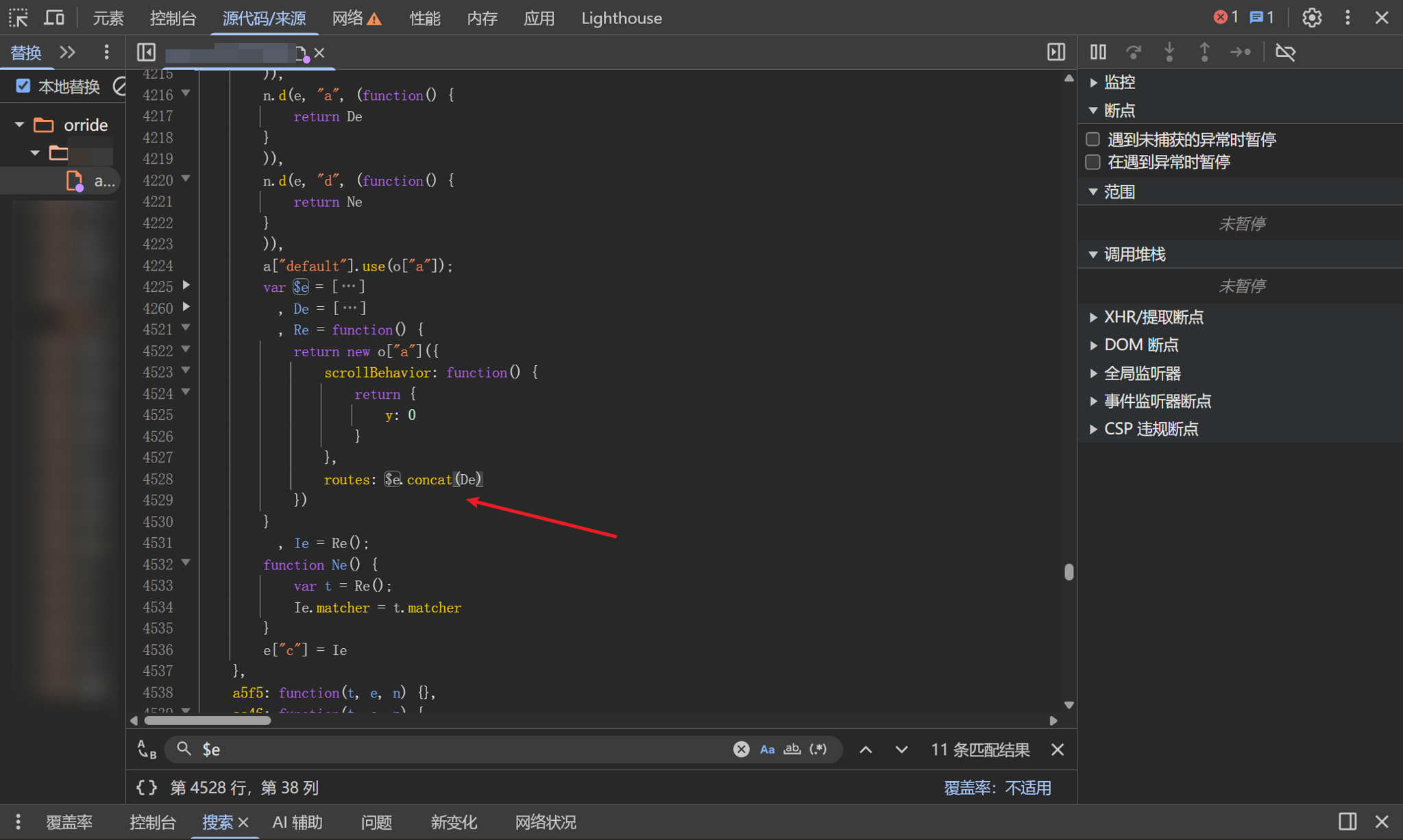
Refresh the page and check the extension. You must refresh with DevTools already open via F12; otherwise, the replacement JavaScript will not run:
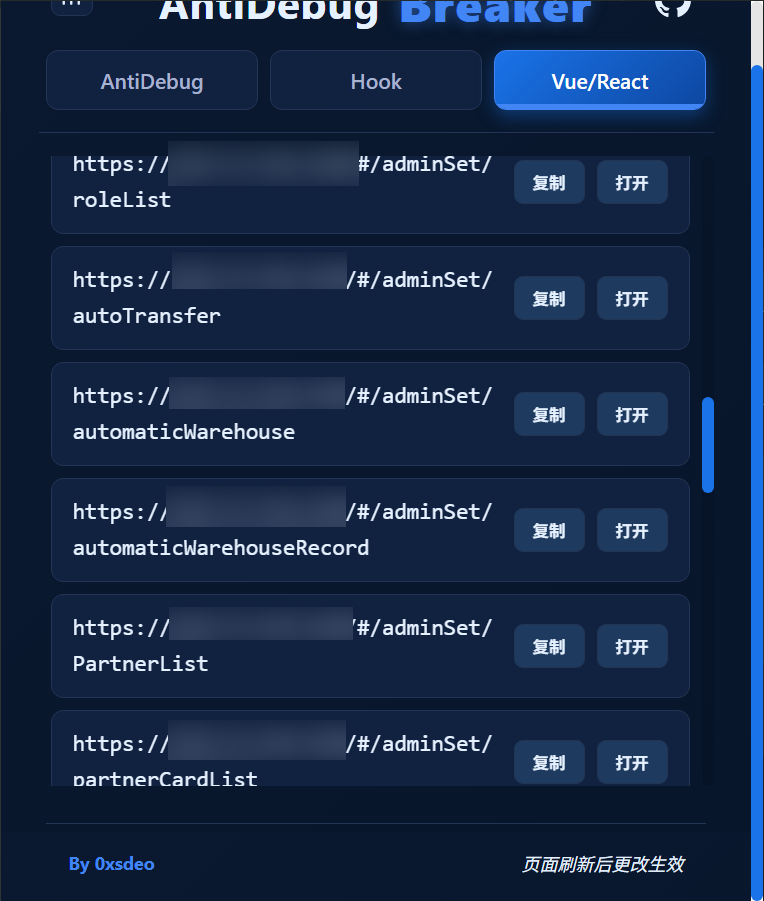
The previously unloaded routes are now loaded, expanding the attack surface.
# Underlying approach
For more Vue techniques, including removing navigation guards, loading dynamic routes, and removing redirects, see my two-part Vue series published last year:
Maximizing JavaScript Collection in Vue Single-Page Applications