
 Use Cases


# Use Cases
# Scenario 1: Analyze Encryption Parameters in a Login Request
Goal: Analyze how a website encrypts passwords during login and extract the encryption parameters.
Steps:
- Open the login page and activate the extension.
- Enable the following scripts:
Hook CryptoJS— Capture AES/DES encryption parameters.Hook JSEncrypt RSA— Capture RSA public keys.Hook SM-crypto— Capture parameters for the Chinese national cryptographic algorithms SM2/SM3/SM4.
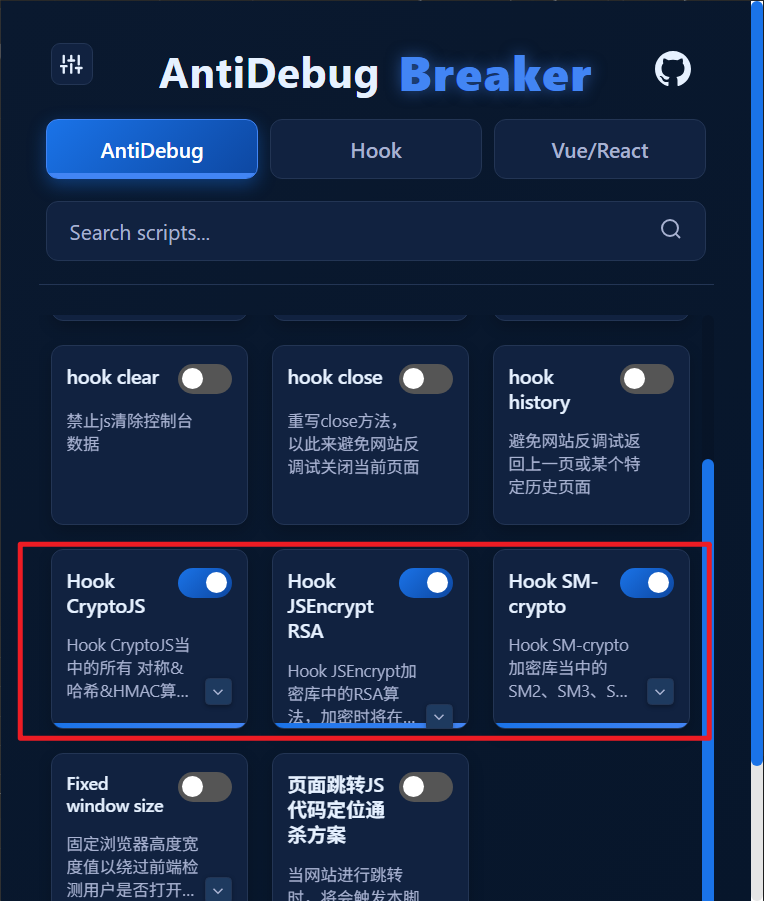
Reload the pageand enter test credentials in the login form.- Click the login button and inspect the console output.
Example console output:

# Scenario 2: Bypass a Website's Anti-Debugging Protection
Goal: Restore normal use of DevTools on a website that uses several anti-debugging techniques.
Steps:
- Activate the extension and switch to the AntiDebug tab.
- Enable the following scripts:
Bypass Debugger— Bypass endless debugger statements.hook log— Protect console.log and related methods from being overwritten.Hook table— Bypass anti-debugging checks based on JavaScript execution time differences.hook clear— Prevent repeated console clearing.hook close— Prevent the page from being closed.hook history— Prevent navigation back to the previous page or a specific history entry.Fixed window size— Lock the window dimensions.
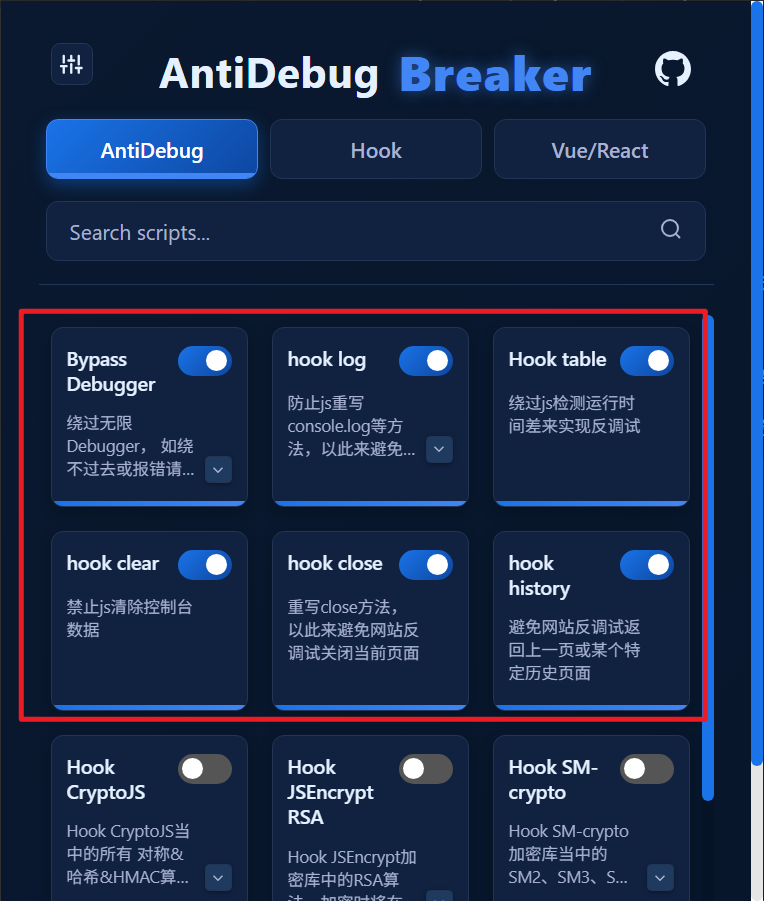
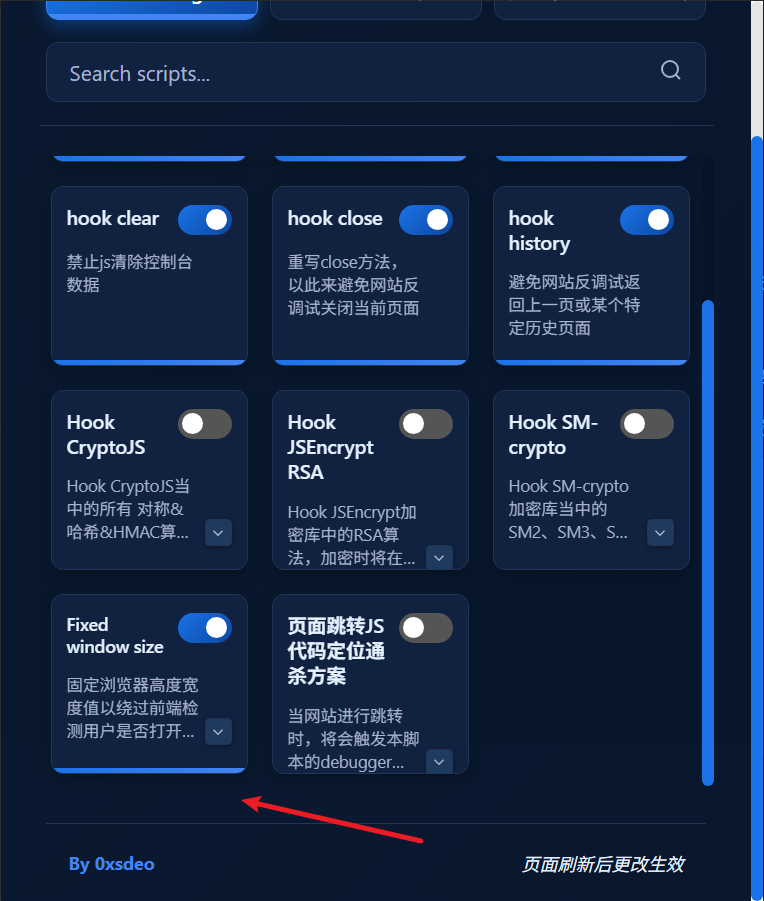
- Reload the page.
- Open DevTools to debug normally.
# Scenario 3: Stop a Website from Redirecting
Goal: Stop a redirect that occurs as soon as you open the console.
- Activate the extension and switch to the AntiDebug tab.
- Enable the following script:
Locating JavaScript Redirect Code
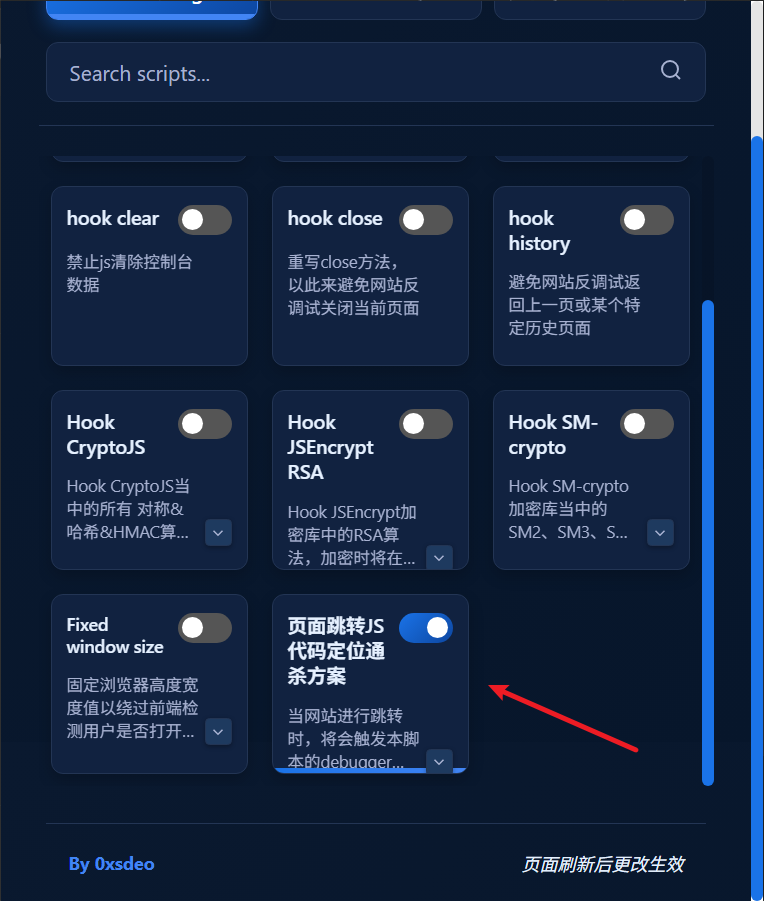
Reload the pagewith DevTools already open. The script can intercept the redirect when it occurs.- Once intercepted, trace the call stack and replace the code to remove the redirect logic and bypass it.
For a detailed tutorial, see Locating JavaScript Redirect Code.
# Scenario 4: Monitor Cookie Reads and Writes
Goal: Monitor all cookie read and write operations performed by the page.
Steps:
- Enable the
document.cookiescript. - Browse the page. The console logs all cookie reads and writes.
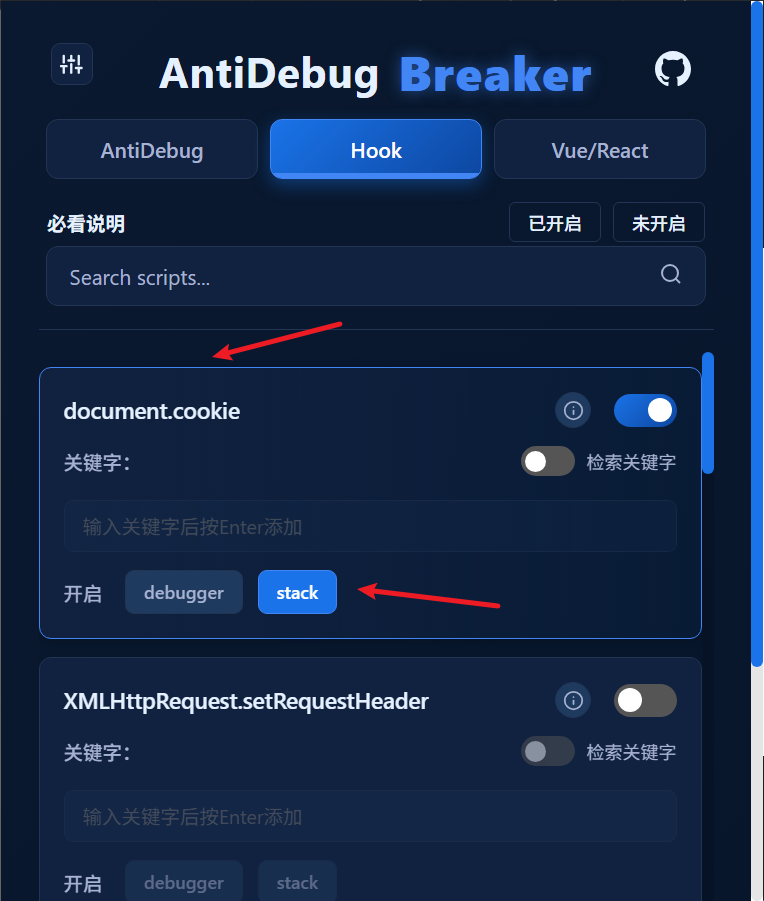
Check the console:
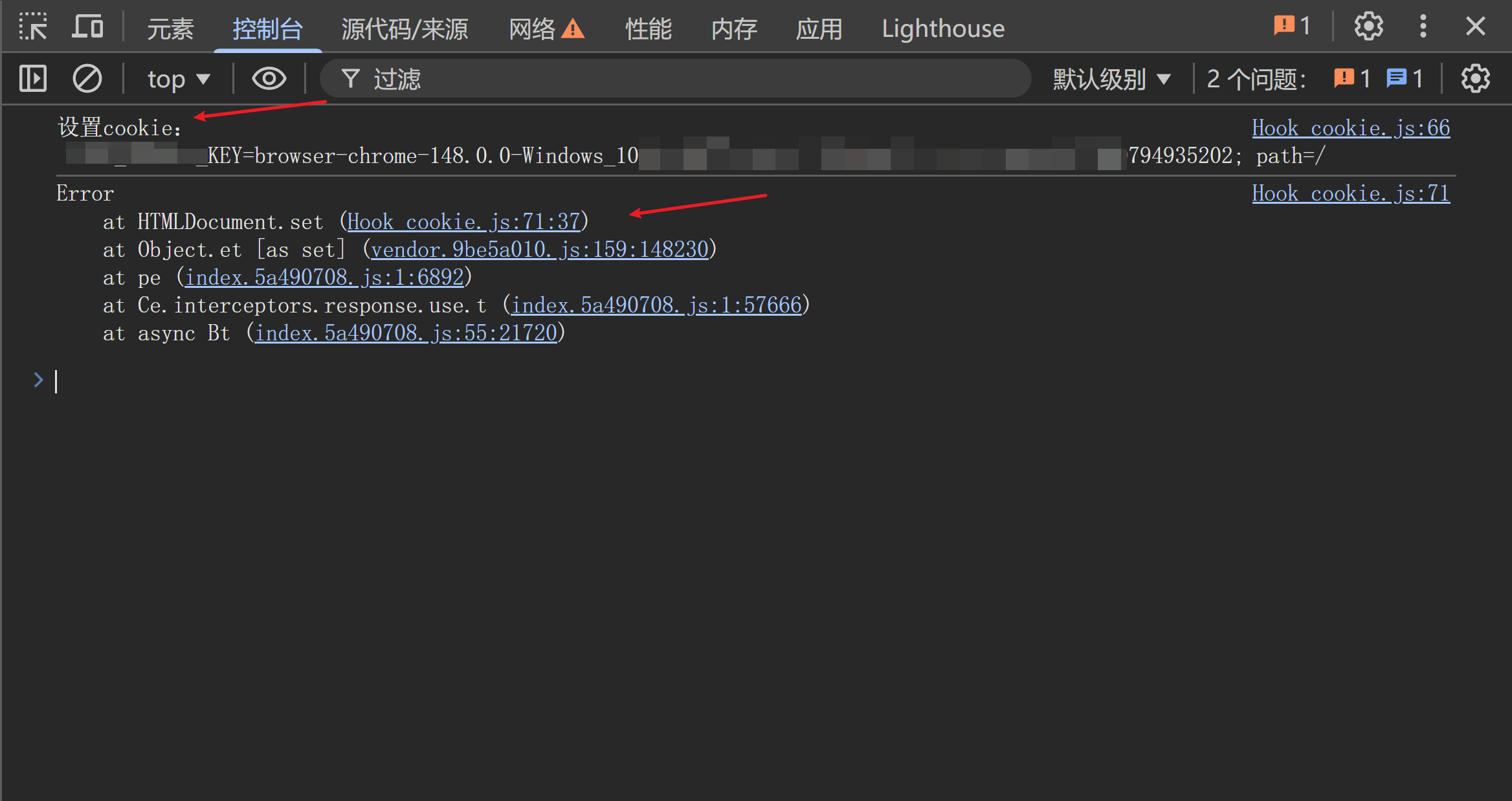
# Scenario 5: Extract Vue Routes
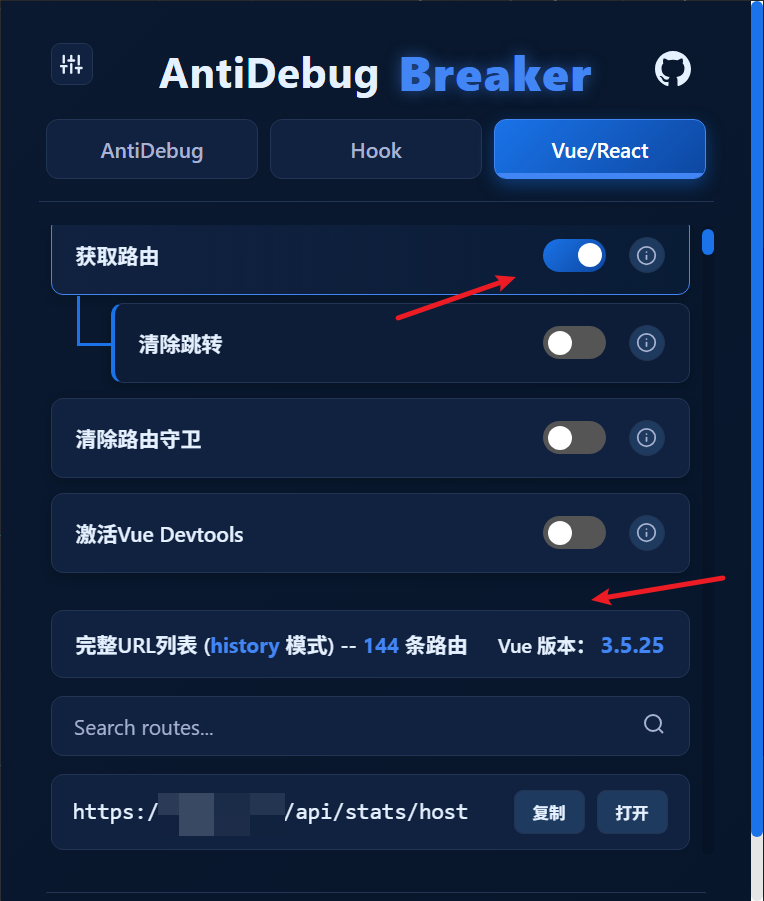
Goal: Retrieve routes from a target Vue website to discover more of its attack surface.
Steps:
- Visit the Vue website and activate the extension.
- Switch to the Vue subtab under Vue/React.
- Click Get Routes.
Reload the page. The extension outputs the route table.
# Scenario 6: Bypass Route Access Controls
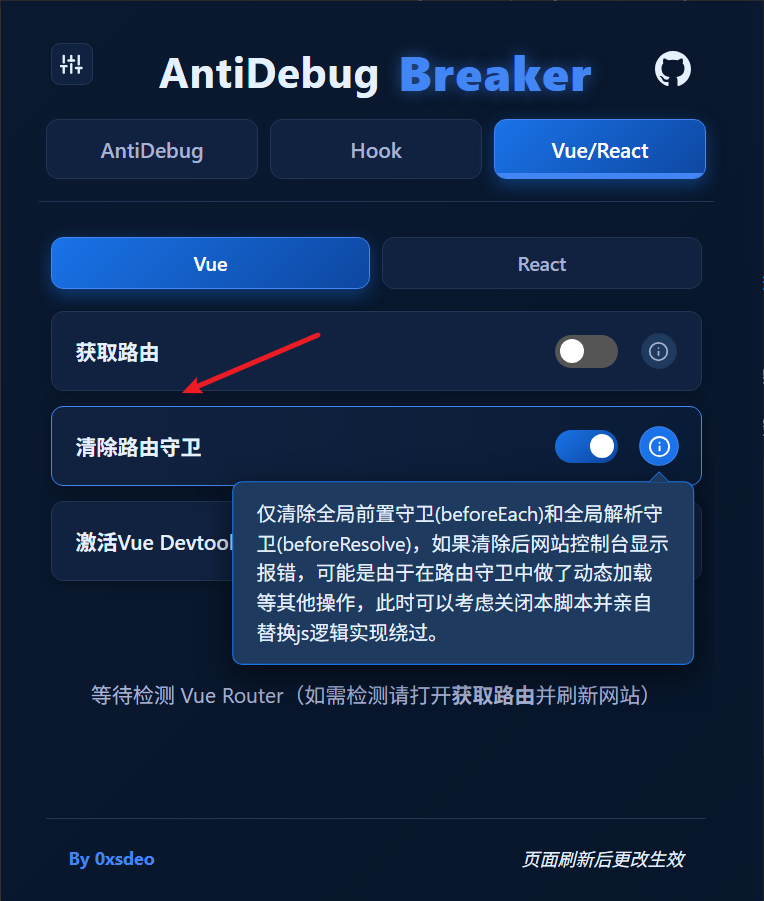
Goal: Access pages whose routes require specific permissions.
Steps:
- Enable the
Clear Navigation Guardsscript in the Vue tab. - Reload the page and visit the protected route directly.
# Scenario 7: Bypass Redirects After Accessing a Route Without Authorization
Goal: Bypass forced redirects to the login page after accessing certain routes without authorization.
Steps:
- Enable the
Clear Redirectsscript in the Vue tab.
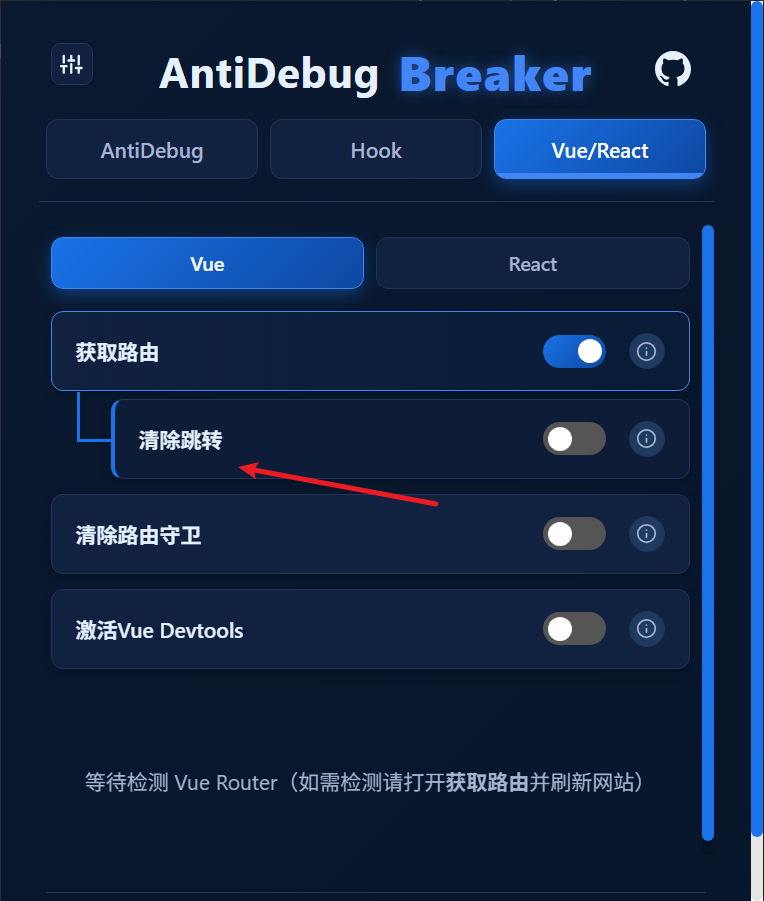
- Reload the page and visit the target route directly. It should no longer redirect.