
 Quick Start


# Quick Start
# Enabling or Disabling Scripts and Changing Hook Settings
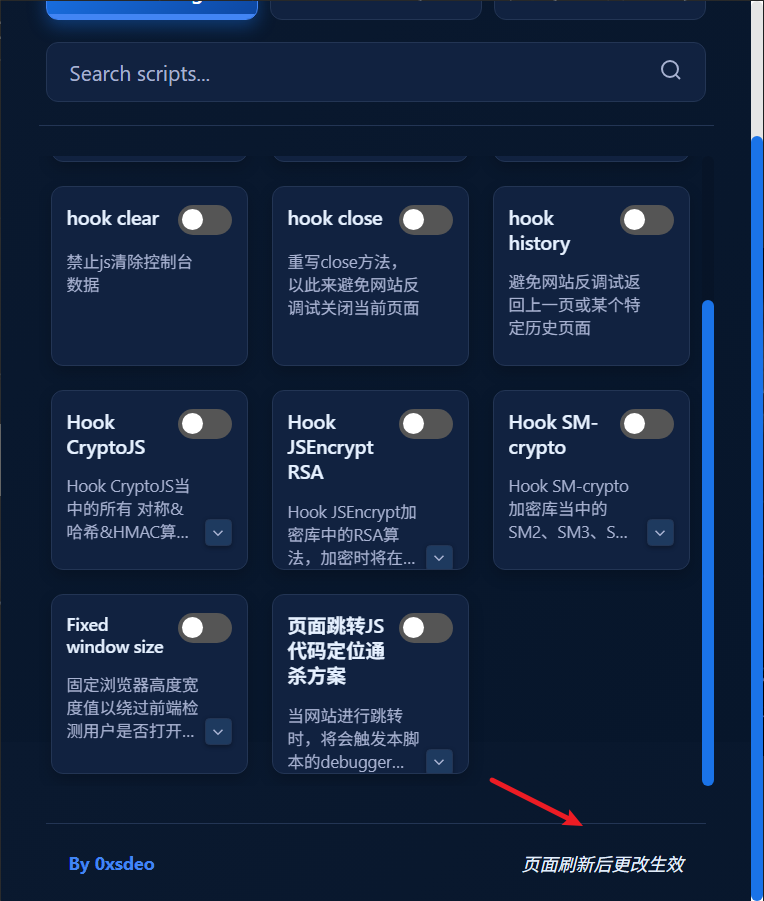
After enabling or disabling a script, you must reload the page for the change to take effect.
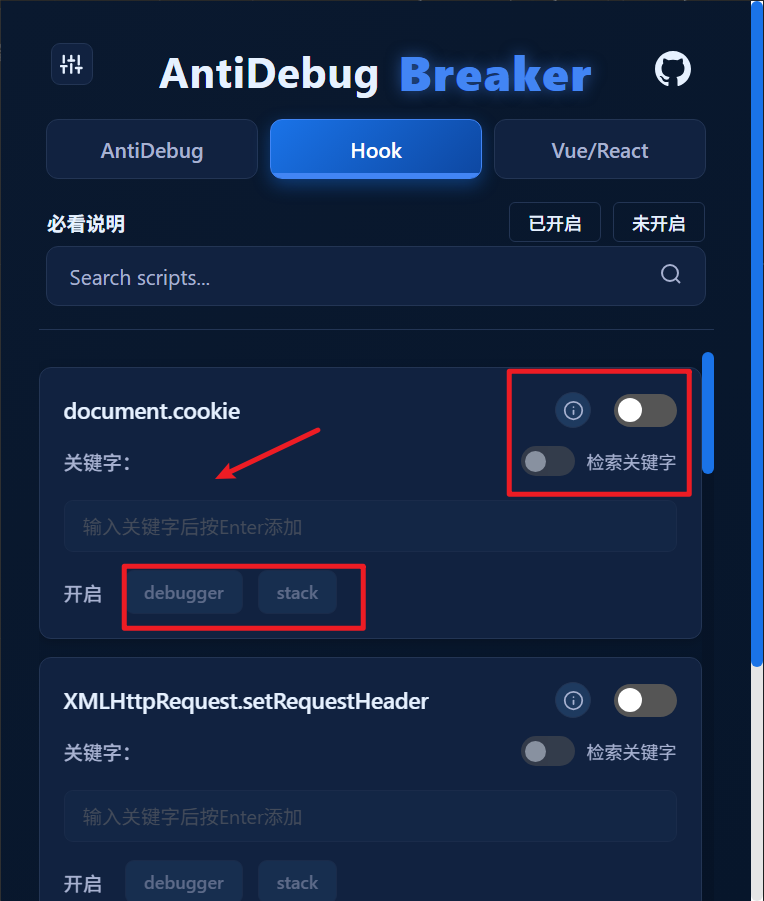
Changes to keywords and other settings in the Hook section also require you to reload the page before they take effect.
# Standard and Global Modes
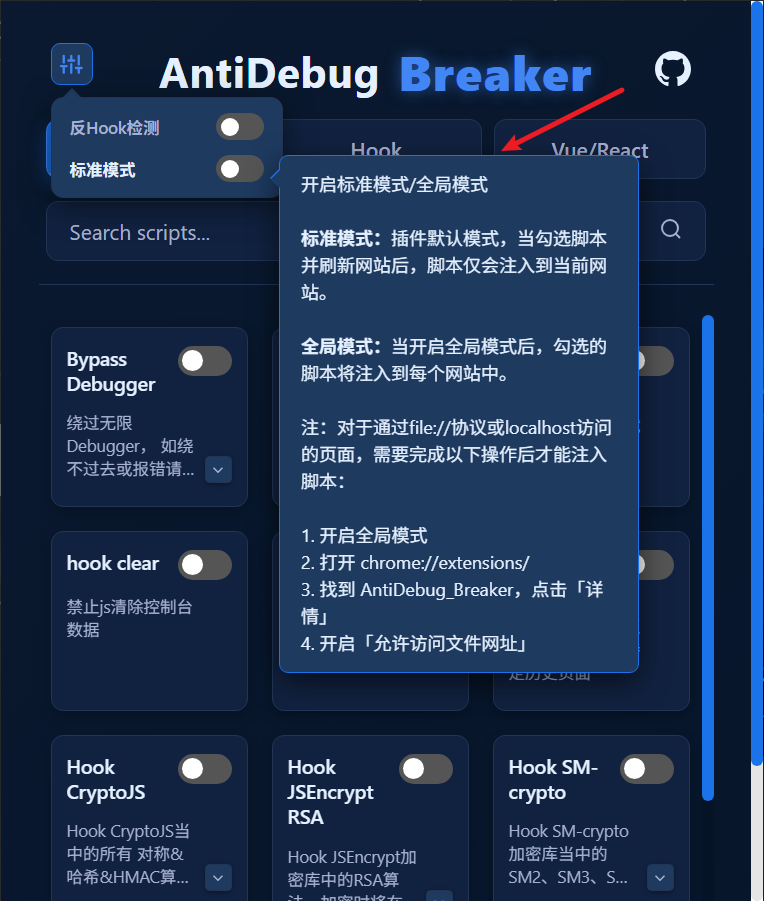
- Standard mode
The extension's default mode. After selecting scripts and reloading the website, the scripts are injected only into the current website.
- Global mode
When global mode is enabled, the selected scripts are injected into every website.
# Notes
For pages accessed through the file:// protocol or localhost, complete the following steps before injecting scripts:
Enable
Global mode.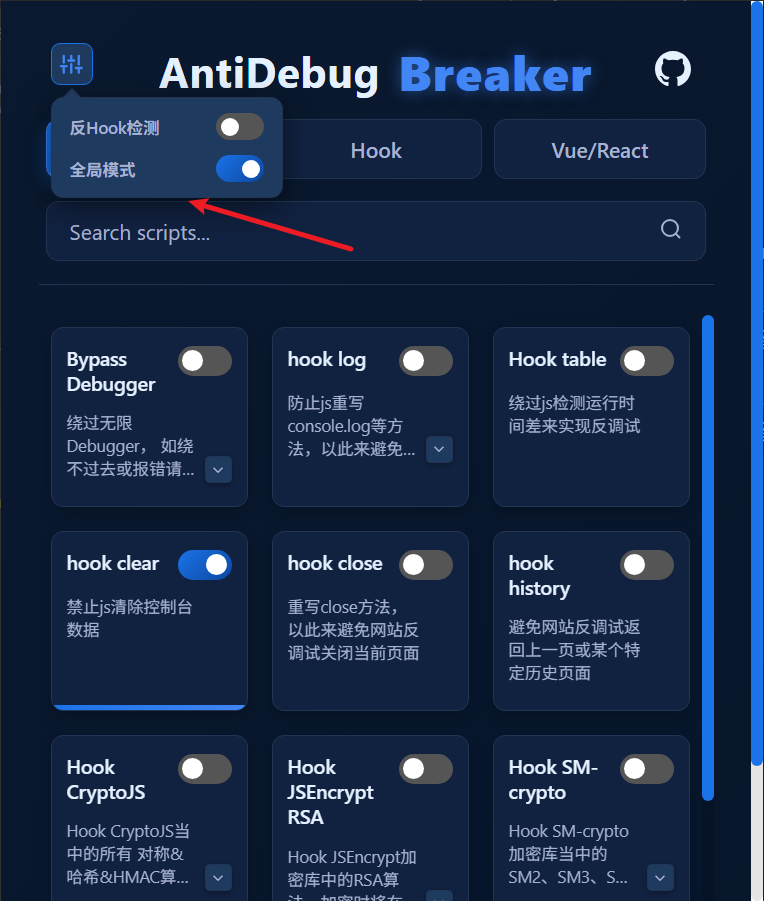
Open
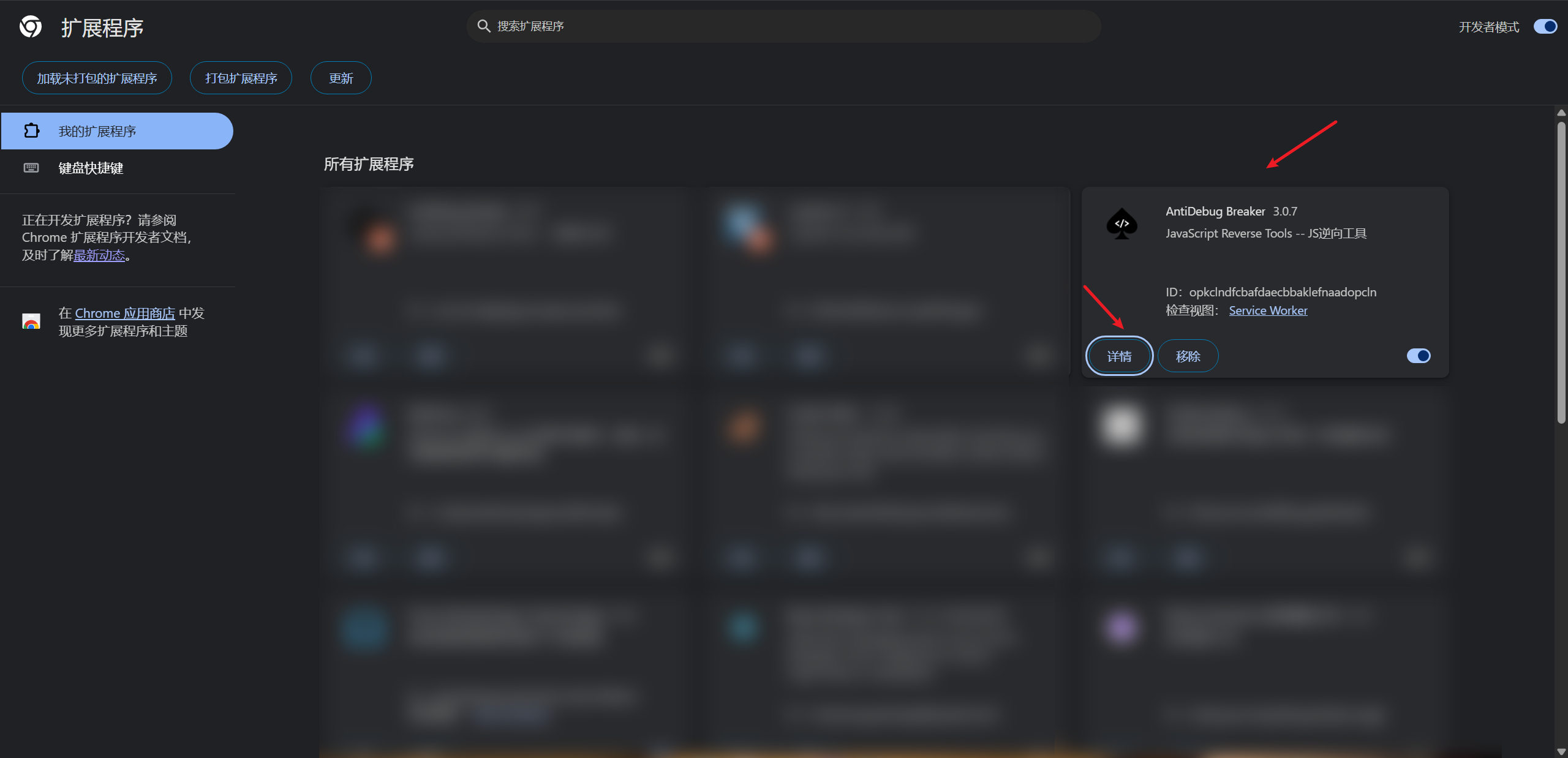
chrome://extensions/.Find AntiDebug Breaker and click Details.
Enable Allow access to file URLs.
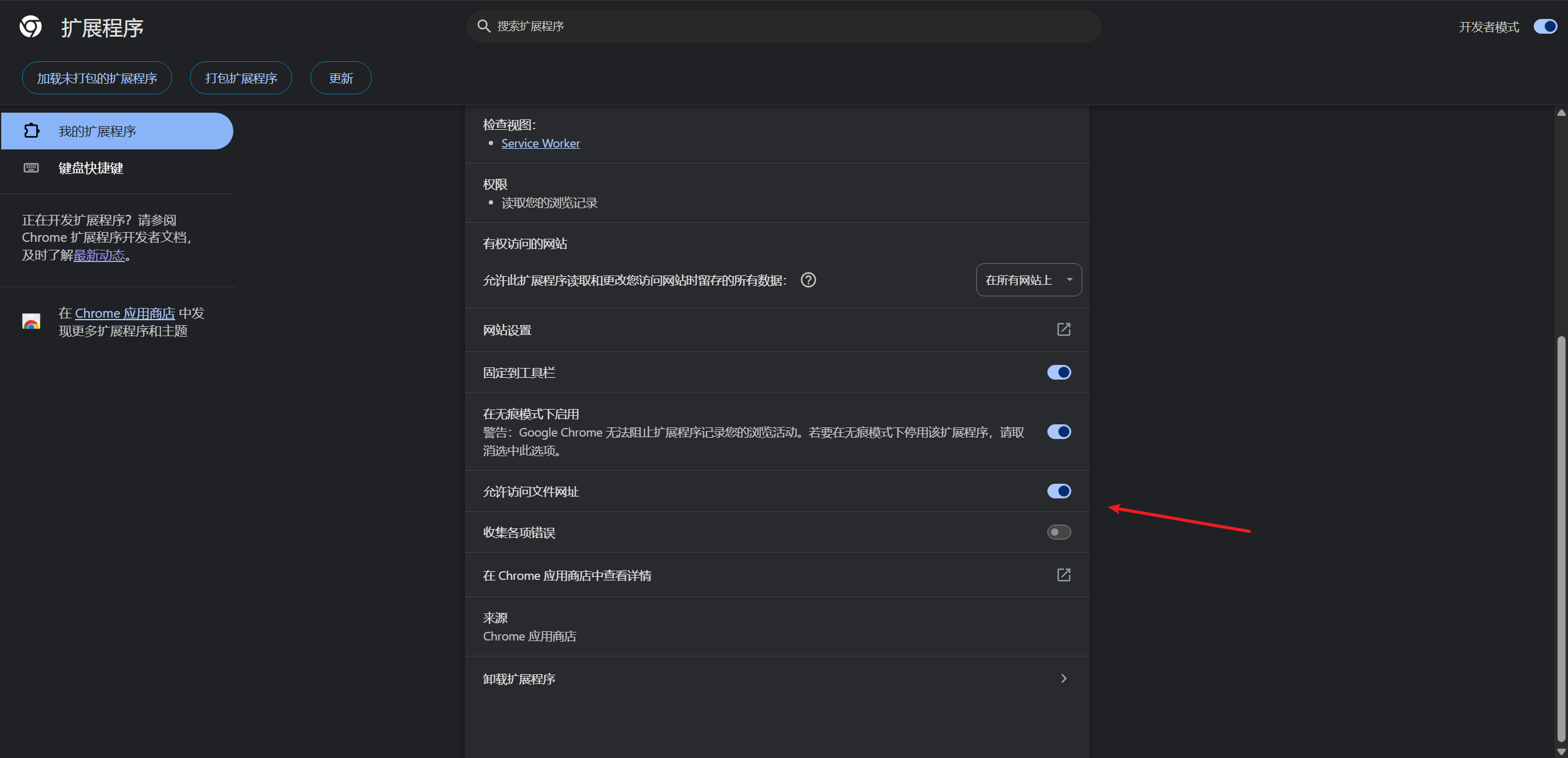
Scripts can now be injected into pages accessed through the file:// protocol or localhost.