AntiDebug Breaker AntiDebug Breaker
  • Home
  • Overview
  • Installation
  • Quickstart
  • Scripts
  • ๐Ÿ”’ AntiDebug
  • Bypass Debugger
  • hook log
  • Hook table
  • hook clear
  • hook close
  • hook history
  • Fixed window size
  • Locate navigation code
  • ๐Ÿ” Crypto Hooks
  • Hook CryptoJS
  • Hook JSEncrypt
  • Hook SM-crypto
  • ๐Ÿช API Hooks
  • Fixed-value Hooks
  • Observation Hooks
  • Keyword-filtered Hooks
  • ๐ŸŸข Vue
  • Get routes
  • Clear redirects
  • Clear navigation guards
  • Enable Vue Devtools
  • ๐Ÿ”ต React
  • Get routes
  • Use cases
  • FAQ
  • Team tools
  • Sponsors
  • GitHub (opens new window)
Home
Overview
Installation
Quickstart
  • ๐Ÿ”’ AntiDebug

    • Bypass Debugger
    • hook log
    • Hook table
    • hook clear
    • hook close
    • hook history
    • Fixed window size
    • Locate navigation code
  • ๐Ÿ” Crypto Hooks

    • Hook CryptoJS
    • Hook JSEncrypt
    • Hook SM-crypto
  • ๐Ÿช API Hooks

    • Fixed-value Hooks
    • Observation Hooks
    • Keyword-filtered Hooks
  • ๐ŸŸข Vue

    • Get routes
    • Clear redirects
    • Clear navigation guards
    • Enable Vue Devtools
  • ๐Ÿ”ต React

    • Get routes
Use cases
FAQ
Team tools
Sponsors
GitHub (opens new window)
  • ็ฎ€ไฝ“ไธญๆ–‡
  • English
  • Home
  • Overview
  • Installation
  • Quickstart
  • Scripts
  • ๐Ÿ”’ AntiDebug
  • Bypass Debugger
  • hook log
  • Hook table
  • hook clear
  • hook close
  • hook history
  • Fixed window size
  • Locate navigation code
  • ๐Ÿ” Crypto Hooks
  • Hook CryptoJS
  • Hook JSEncrypt
  • Hook SM-crypto
  • ๐Ÿช API Hooks
  • Fixed-value Hooks
  • Observation Hooks
  • Keyword-filtered Hooks
  • ๐ŸŸข Vue
  • Get routes
  • Clear redirects
  • Clear navigation guards
  • Enable Vue Devtools
  • ๐Ÿ”ต React
  • Get routes
  • Use cases
  • FAQ
  • Team tools
  • Sponsors
  • GitHub (opens new window)
Home
Overview
Installation
Quickstart
  • ๐Ÿ”’ AntiDebug

    • Bypass Debugger
    • hook log
    • Hook table
    • hook clear
    • hook close
    • hook history
    • Fixed window size
    • Locate navigation code
  • ๐Ÿ” Crypto Hooks

    • Hook CryptoJS
    • Hook JSEncrypt
    • Hook SM-crypto
  • ๐Ÿช API Hooks

    • Fixed-value Hooks
    • Observation Hooks
    • Keyword-filtered Hooks
  • ๐ŸŸข Vue

    • Get routes
    • Clear redirects
    • Clear navigation guards
    • Enable Vue Devtools
  • ๐Ÿ”ต React

    • Get routes
Use cases
FAQ
Team tools
Sponsors
GitHub (opens new window)
  • ็ฎ€ไฝ“ไธญๆ–‡
  • English
BestProxy BestProxy ยท 10% off code ZCTYUH90 RapidProxy RapidProxy ยท 10% off code 0xsdeo
  • ๐Ÿ”’ AntiDebug
    • Bypass Debugger
      • Description
      • When to use it
      • Frequently asked questions
        • Hard-coded debugger statements
        • Errors caused by eval scope changes
        • Other issues
      • How it works
    • hook log
    • Hook table
    • hook clear
    • hook close
    • hook history
    • Fixed window size
    • Locate Page Redirect Code
  • ๐Ÿ” Crypto Hooks
  • ๐Ÿช API Hooks
  • ๐ŸŸข Vue
  • ๐Ÿ”ต React
  • Script Reference
  • AntiDebug Scripts
  • Bypass Debugger
0xsdeo
2026-06-02
Contents

Bypass Debugger

BestProxy BestProxy ยท 10% off code ZCTYUH90 RapidProxy RapidProxy ยท 10% off code 0xsdeo

# Bypass Debugger

# Description

Bypasses repeated debugger pauses. If the bypass fails or causes errors, use Firefox and ignore breakpoints.
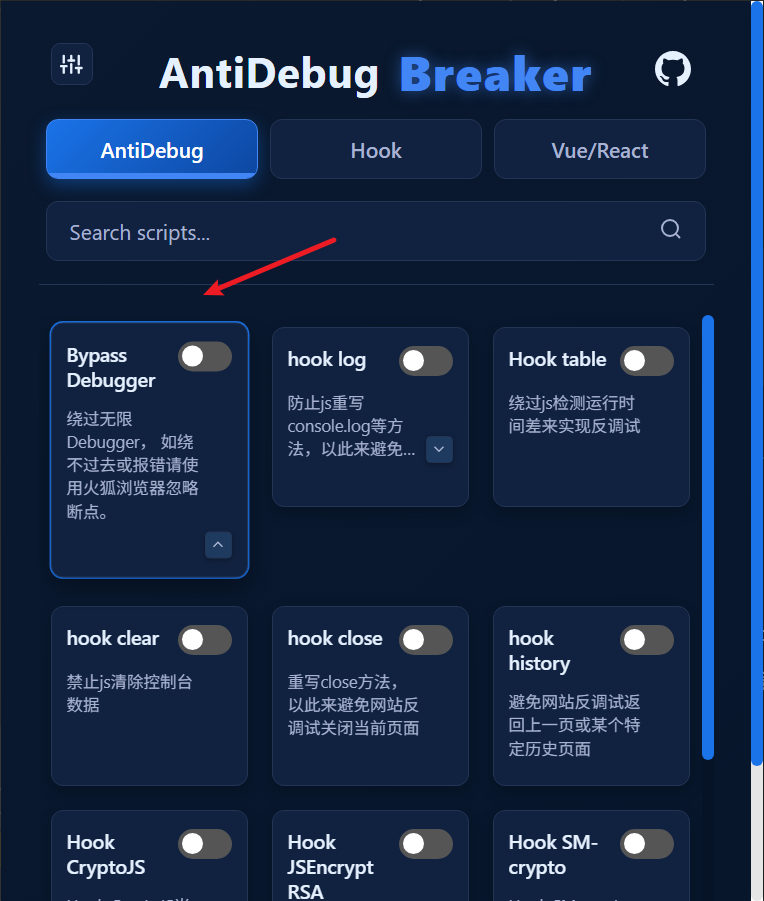
# When to use it

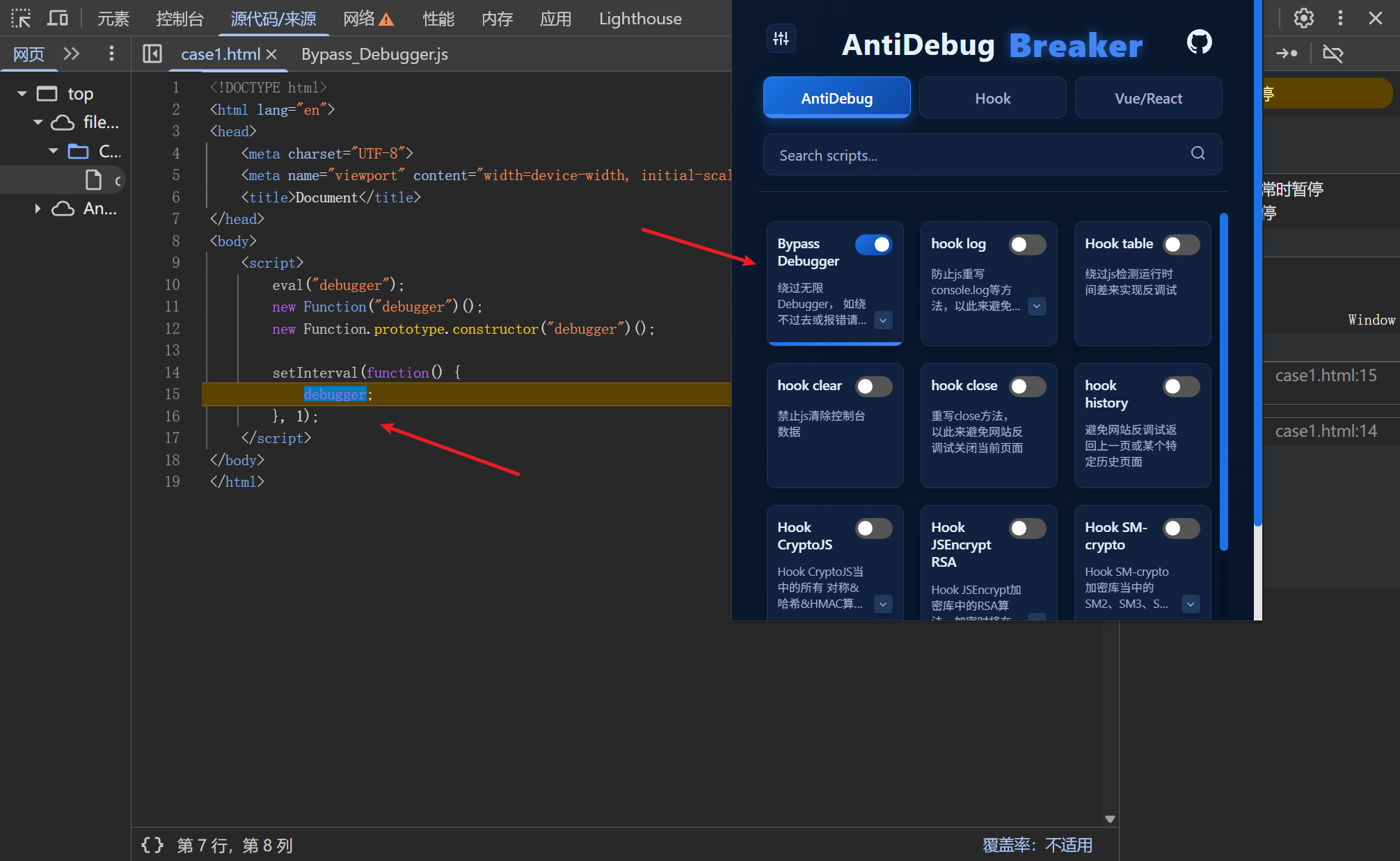
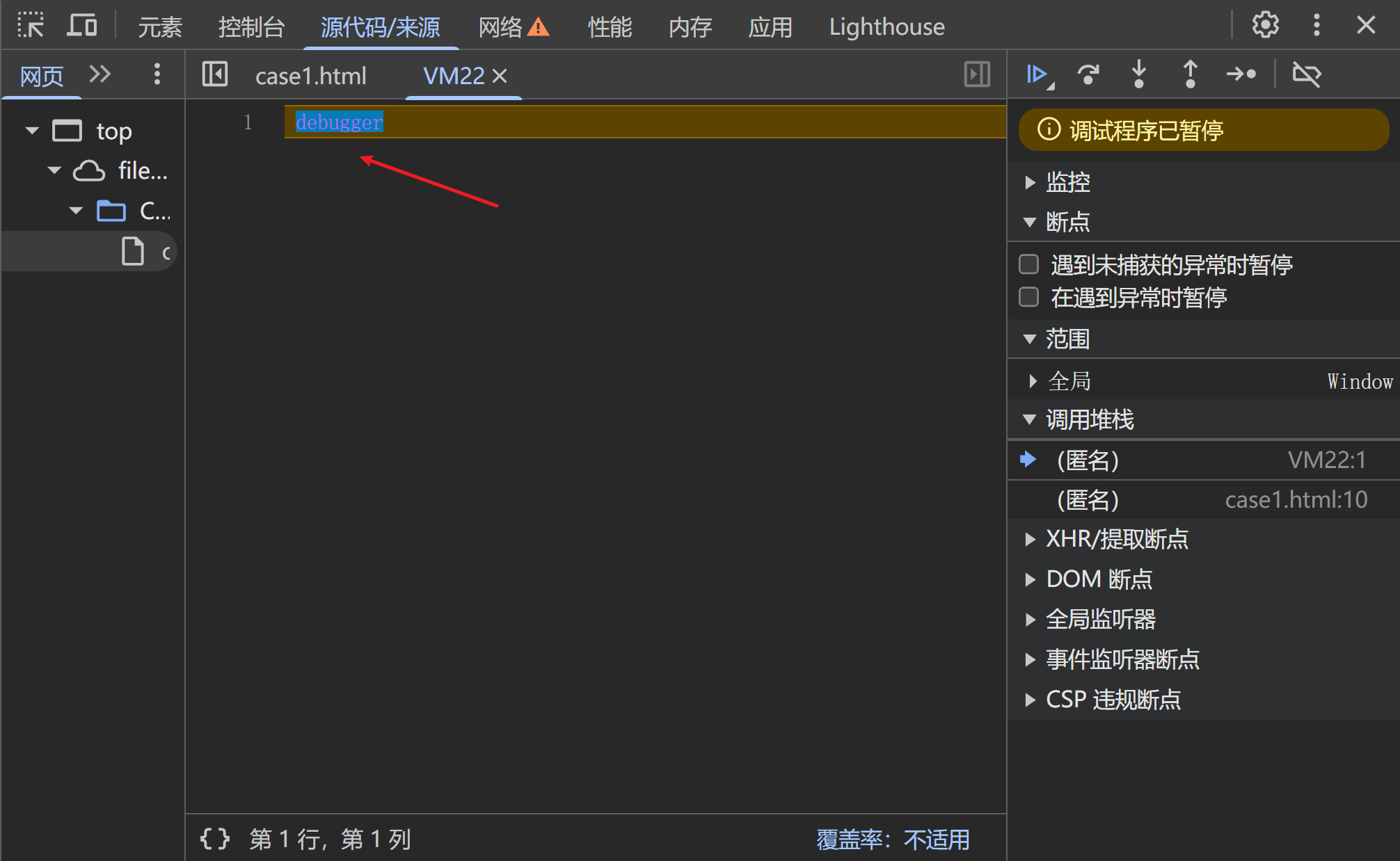
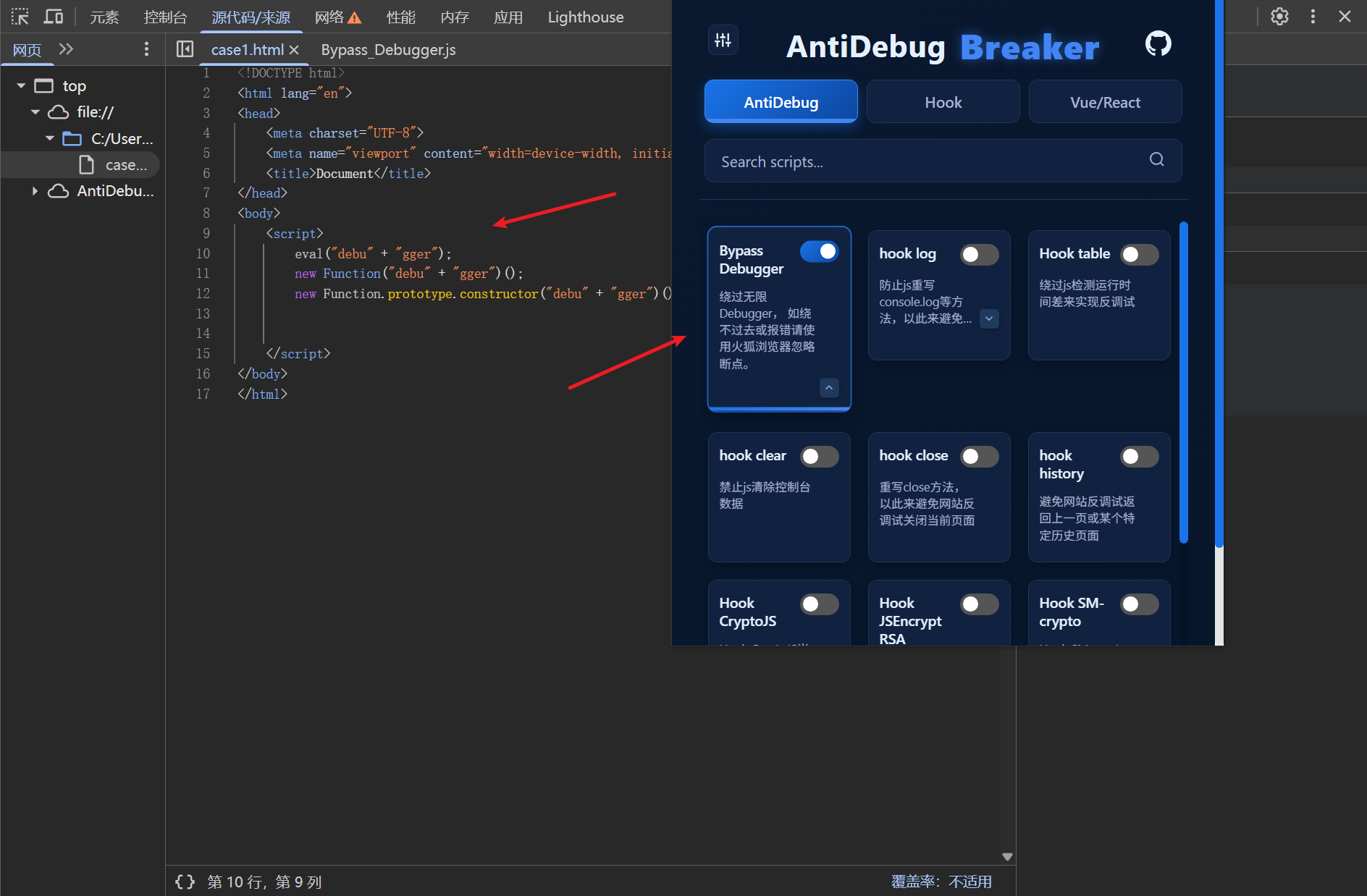
Enable this script if the page repeatedly pauses on debugger statements after you open DevTools. 1780549743693 After enabling the script, the bypass succeeds and the repeated pauses stop:
# Frequently asked questions

If debugger pauses continue or the Console reports errors after you enable the script, one of the following may be the cause.

# Hard-coded debugger statements

For example, a timer can repeatedly execute a debugger statement:

setInterval(function() {
    debugger;
}, 1);
1
2
3

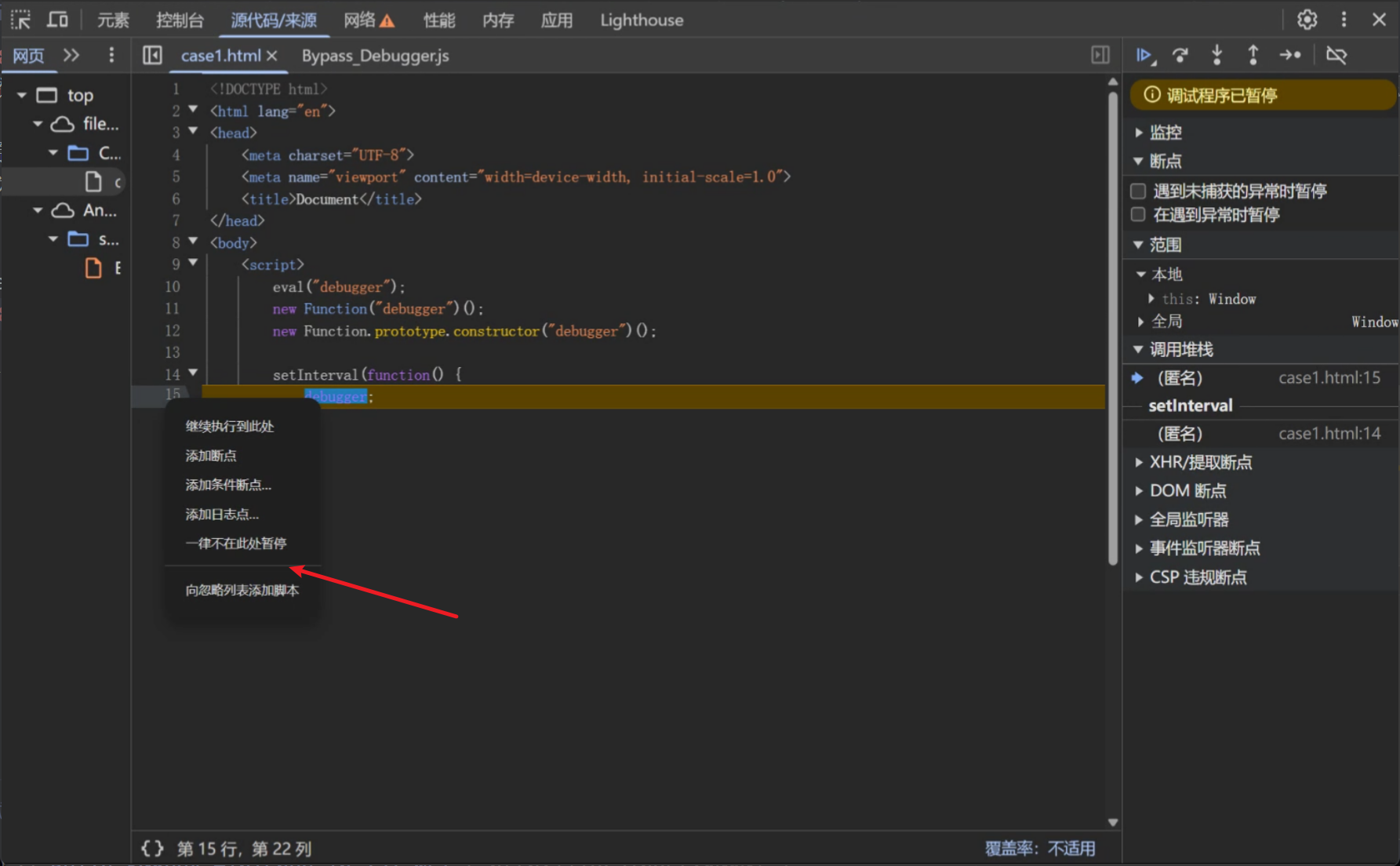
The result: 1780548504304 The page still pauses on debugger after the script is enabled.

This happens because the script does not hook timer methods such as setInterval. Many websites use these methods, and hooking them can introduce unexpected errors. You can still bypass this case easily:

  1. Right-click the line containing debugger: 1780548699480
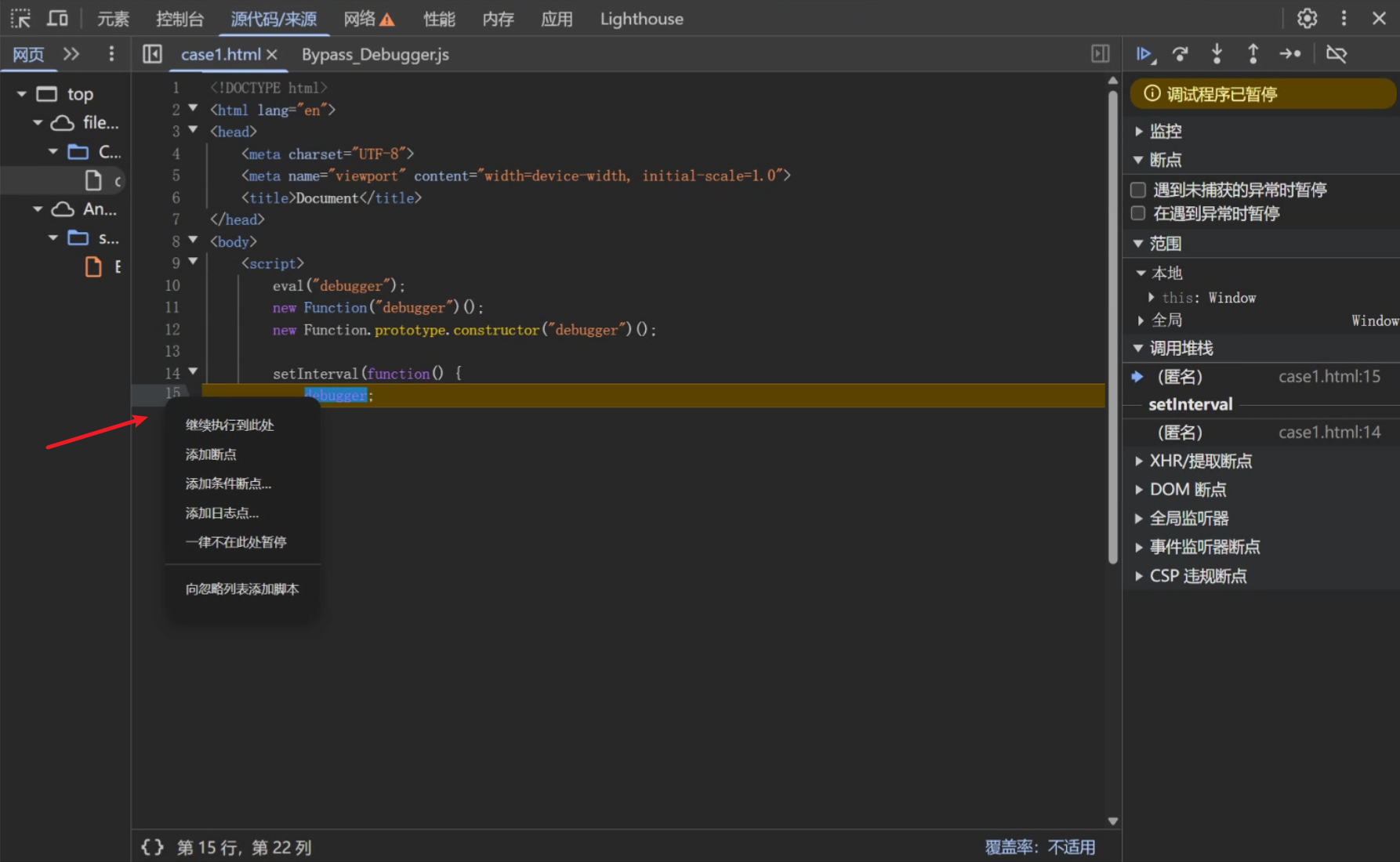
  2. Click Never pause here: 1780548742799

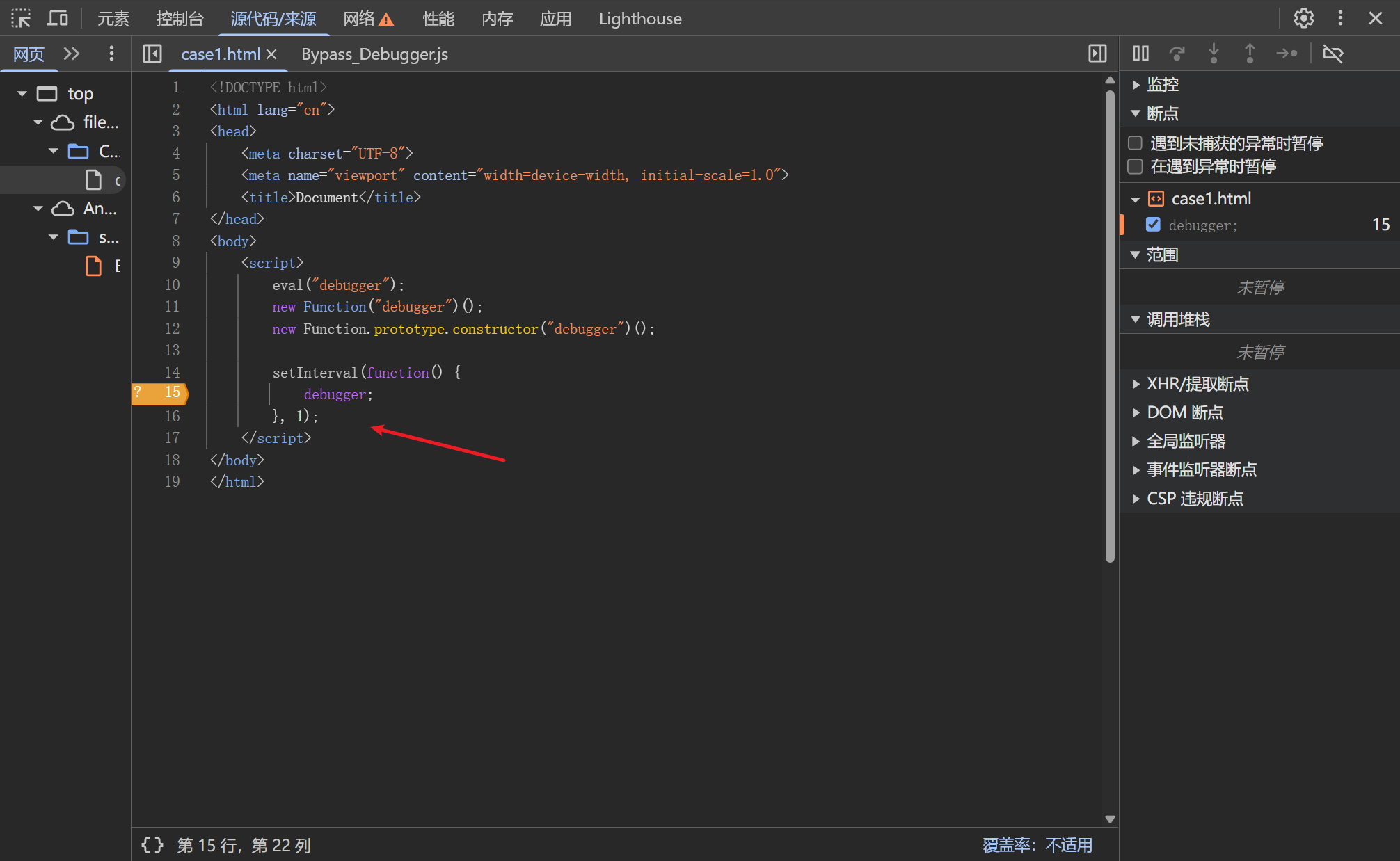
The repeated debugger pauses will stop: 1780548773101
# Errors caused by eval scope changes

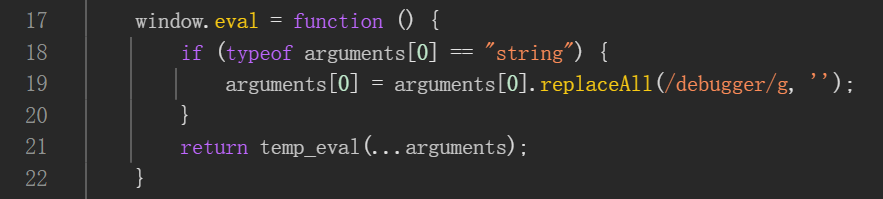
The original script hooks eval, because it can also be used to trigger repeated debugger pauses: 1780548903357
However, hooking eval can change its scope. Console errors like those below after enabling the script indicate this problem: 1780732826123 I investigated this issue in 2024. For details, see my article: JavaScript Reverse Engineering โ€” A Closer Look at Scope Issues After Hooking eval.
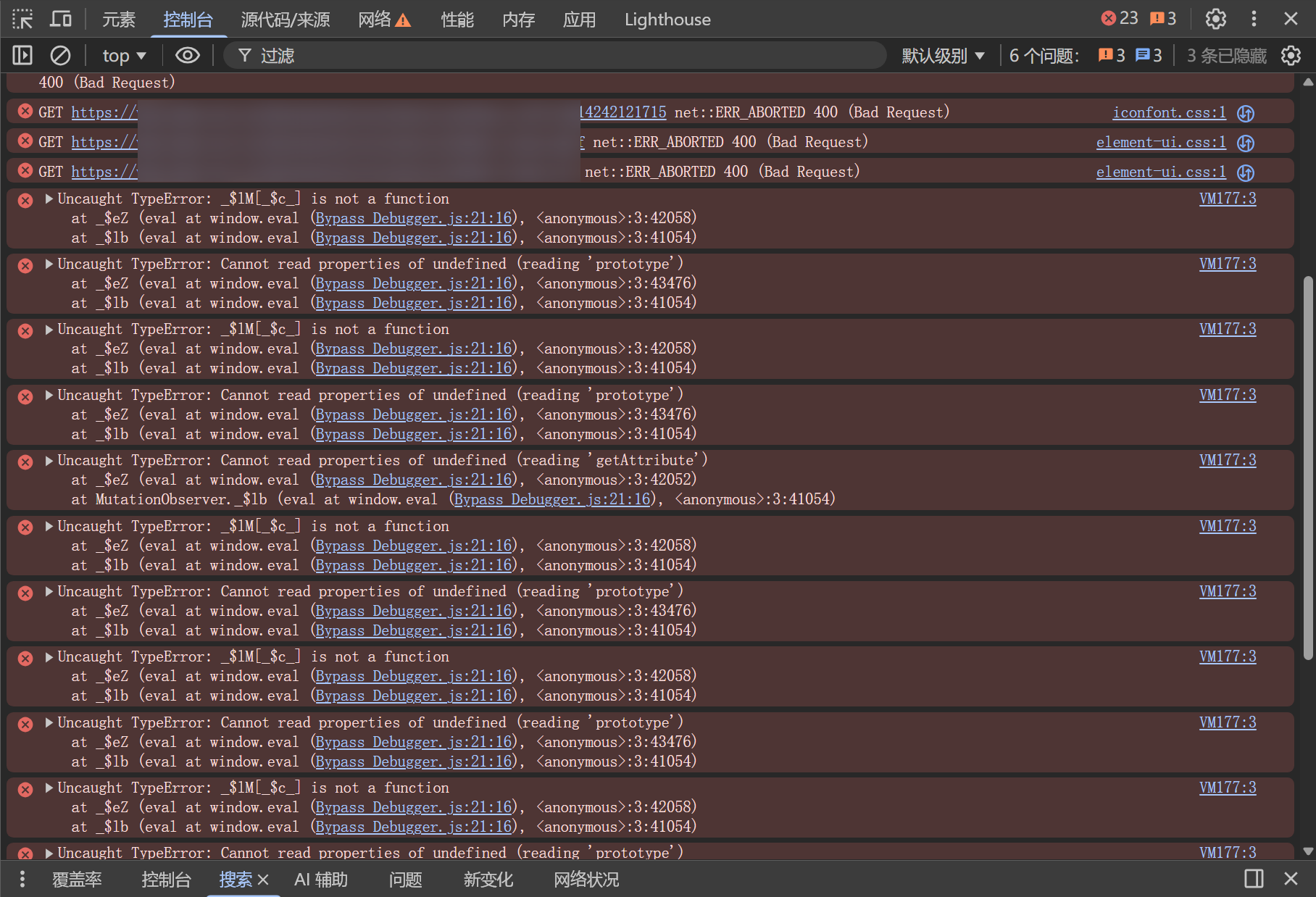
I will not go into detail here; there is currently no solution to this issue.

# Other issues

Some websites may use anti-debugging techniques that this script does not cover. In that case, switch to Firefox and ignore debugger statements while debugging. You can also contact me with an example (WeChat: I-0xsdeo).

# How it works

The three main mechanisms used to trigger repeated debugger pauses are:

eval

Function

Function.prototype.constructor

This script hooks all three to bypass repeated debugger pauses.

For a more detailed explanation, see my earlier article: JavaScript Reverse Engineering โ€” Bypass Debugger.

hook log

hook logโ†’

Theme by Vdoing | Copyright ยฉ 2025-2026 0xsdeo
  • System
  • Light
  • Dark
  • Reading