AntiDebug Breaker AntiDebug Breaker
  • Home
  • Overview
  • Installation
  • Quickstart
  • Scripts
  • ๐Ÿ”’ AntiDebug
  • Bypass Debugger
  • hook log
  • Hook table
  • hook clear
  • hook close
  • hook history
  • Fixed window size
  • Locate navigation code
  • ๐Ÿ” Crypto Hooks
  • Hook CryptoJS
  • Hook JSEncrypt
  • Hook SM-crypto
  • ๐Ÿช API Hooks
  • Fixed-value Hooks
  • Observation Hooks
  • Keyword-filtered Hooks
  • ๐ŸŸข Vue
  • Get routes
  • Clear redirects
  • Clear navigation guards
  • Enable Vue Devtools
  • ๐Ÿ”ต React
  • Get routes
  • Use cases
  • FAQ
  • Team tools
  • Sponsors
  • GitHub (opens new window)
Home
Overview
Installation
Quickstart
  • ๐Ÿ”’ AntiDebug

    • Bypass Debugger
    • hook log
    • Hook table
    • hook clear
    • hook close
    • hook history
    • Fixed window size
    • Locate navigation code
  • ๐Ÿ” Crypto Hooks

    • Hook CryptoJS
    • Hook JSEncrypt
    • Hook SM-crypto
  • ๐Ÿช API Hooks

    • Fixed-value Hooks
    • Observation Hooks
    • Keyword-filtered Hooks
  • ๐ŸŸข Vue

    • Get routes
    • Clear redirects
    • Clear navigation guards
    • Enable Vue Devtools
  • ๐Ÿ”ต React

    • Get routes
Use cases
FAQ
Team tools
Sponsors
GitHub (opens new window)
  • ็ฎ€ไฝ“ไธญๆ–‡
  • English
  • Home
  • Overview
  • Installation
  • Quickstart
  • Scripts
  • ๐Ÿ”’ AntiDebug
  • Bypass Debugger
  • hook log
  • Hook table
  • hook clear
  • hook close
  • hook history
  • Fixed window size
  • Locate navigation code
  • ๐Ÿ” Crypto Hooks
  • Hook CryptoJS
  • Hook JSEncrypt
  • Hook SM-crypto
  • ๐Ÿช API Hooks
  • Fixed-value Hooks
  • Observation Hooks
  • Keyword-filtered Hooks
  • ๐ŸŸข Vue
  • Get routes
  • Clear redirects
  • Clear navigation guards
  • Enable Vue Devtools
  • ๐Ÿ”ต React
  • Get routes
  • Use cases
  • FAQ
  • Team tools
  • Sponsors
  • GitHub (opens new window)
Home
Overview
Installation
Quickstart
  • ๐Ÿ”’ AntiDebug

    • Bypass Debugger
    • hook log
    • Hook table
    • hook clear
    • hook close
    • hook history
    • Fixed window size
    • Locate navigation code
  • ๐Ÿ” Crypto Hooks

    • Hook CryptoJS
    • Hook JSEncrypt
    • Hook SM-crypto
  • ๐Ÿช API Hooks

    • Fixed-value Hooks
    • Observation Hooks
    • Keyword-filtered Hooks
  • ๐ŸŸข Vue

    • Get routes
    • Clear redirects
    • Clear navigation guards
    • Enable Vue Devtools
  • ๐Ÿ”ต React

    • Get routes
Use cases
FAQ
Team tools
Sponsors
GitHub (opens new window)
  • ็ฎ€ไฝ“ไธญๆ–‡
  • English
BestProxy BestProxy ยท 10% off code ZCTYUH90 RapidProxy RapidProxy ยท 10% off code 0xsdeo
  • ๐Ÿ”’ AntiDebug
  • ๐Ÿ” Crypto Hooks
    • Hook CryptoJS
      • Description
      • Supported algorithms
      • When to use it
      • Frequently asked questions
        • How do I get the padding and cipher mode?
        • Why can't I encrypt or decrypt?
        • Why is there no console output after enabling the script?
      • How it works
    • Hook JSEncrypt RSA
    • Hook SM-crypto
  • ๐Ÿช API Hooks
  • ๐ŸŸข Vue
  • ๐Ÿ”ต React
  • Script Reference
  • Crypto Hooks
  • Hook CryptoJS
0xsdeo
2026-06-04
Contents

Hook CryptoJS

BestProxy BestProxy ยท 10% off code ZCTYUH90 RapidProxy RapidProxy ยท 10% off code 0xsdeo

# Hook_CryptoJS.js โ€” Extract CryptoJS symmetric encryption parameters

# Description

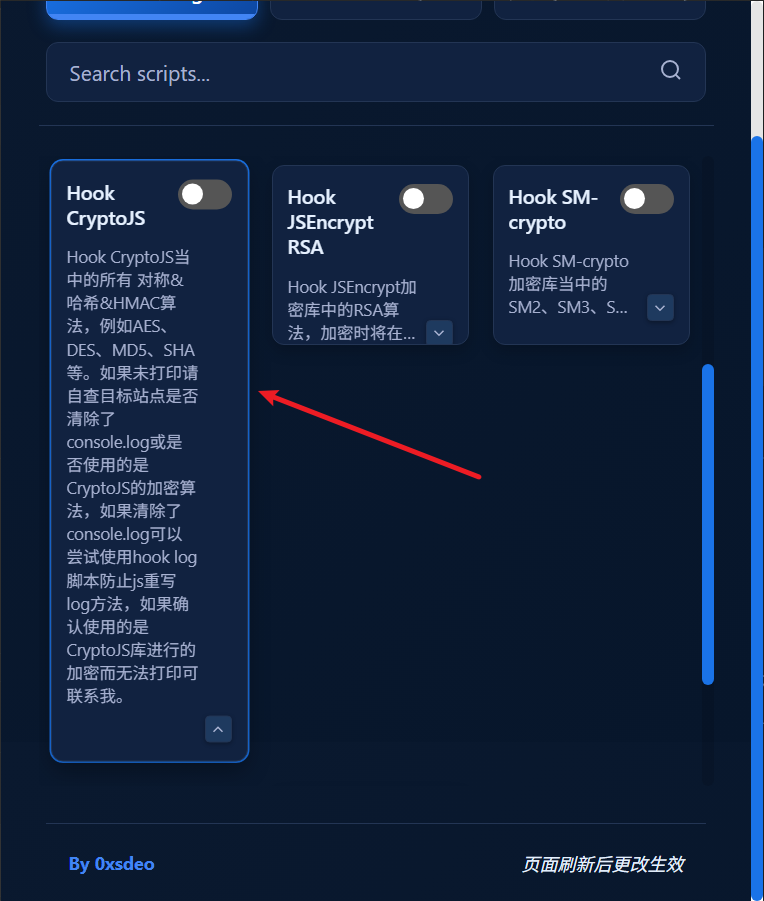
Hooks all symmetric encryption, hashing, and HMAC algorithms in CryptoJS, including AES, DES, MD5, SHA, and more.
# Supported algorithms

Algorithm type Algorithms
Symmetric encryption AES, DES, TripleDES, RC4, Rabbit, and more
Hashing MD5, SHA-1, SHA-256, SHA-512, and more
HMAC HmacMD5, HmacSHA1, HmacSHA256, and more

# When to use it

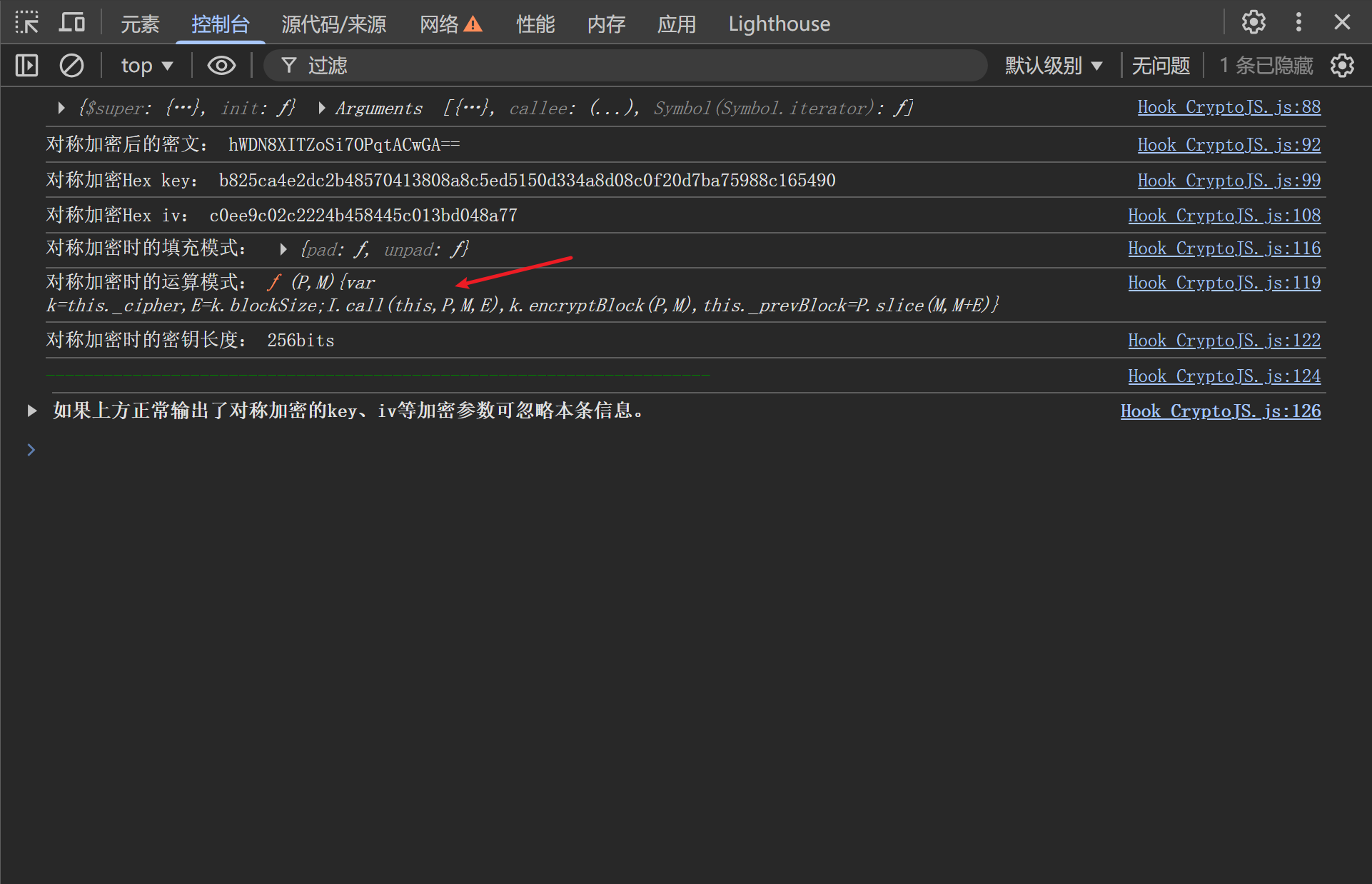
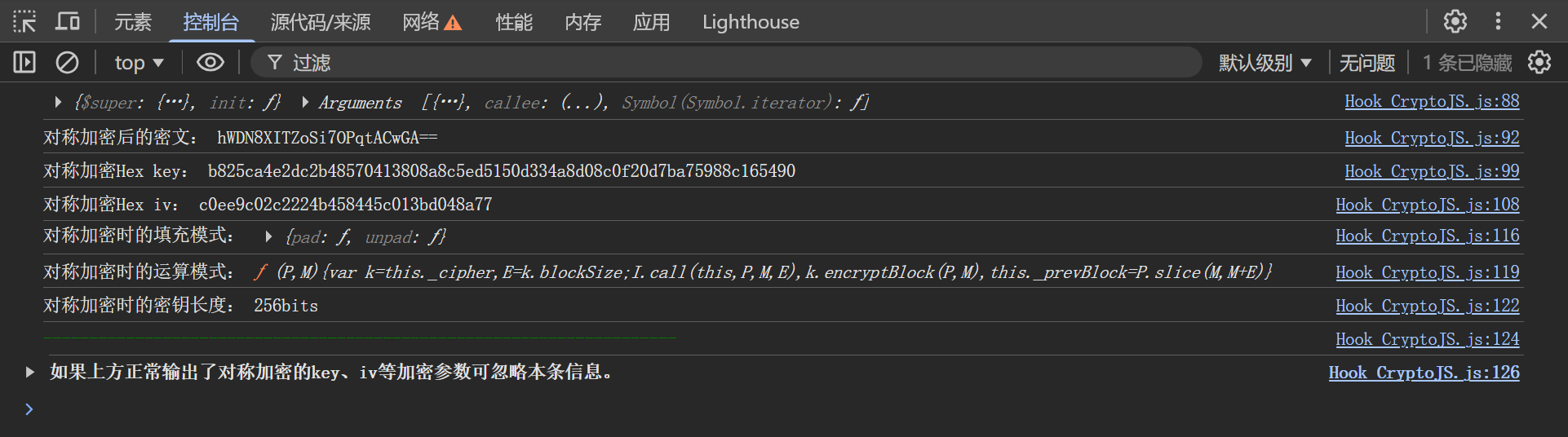
If a website's requests or responses contain encrypted parameters, enable this script to help analyze the encryption quickly. Example output: 1780556744549
# Frequently asked questions

# How do I get the padding and cipher mode?

There are two cases:

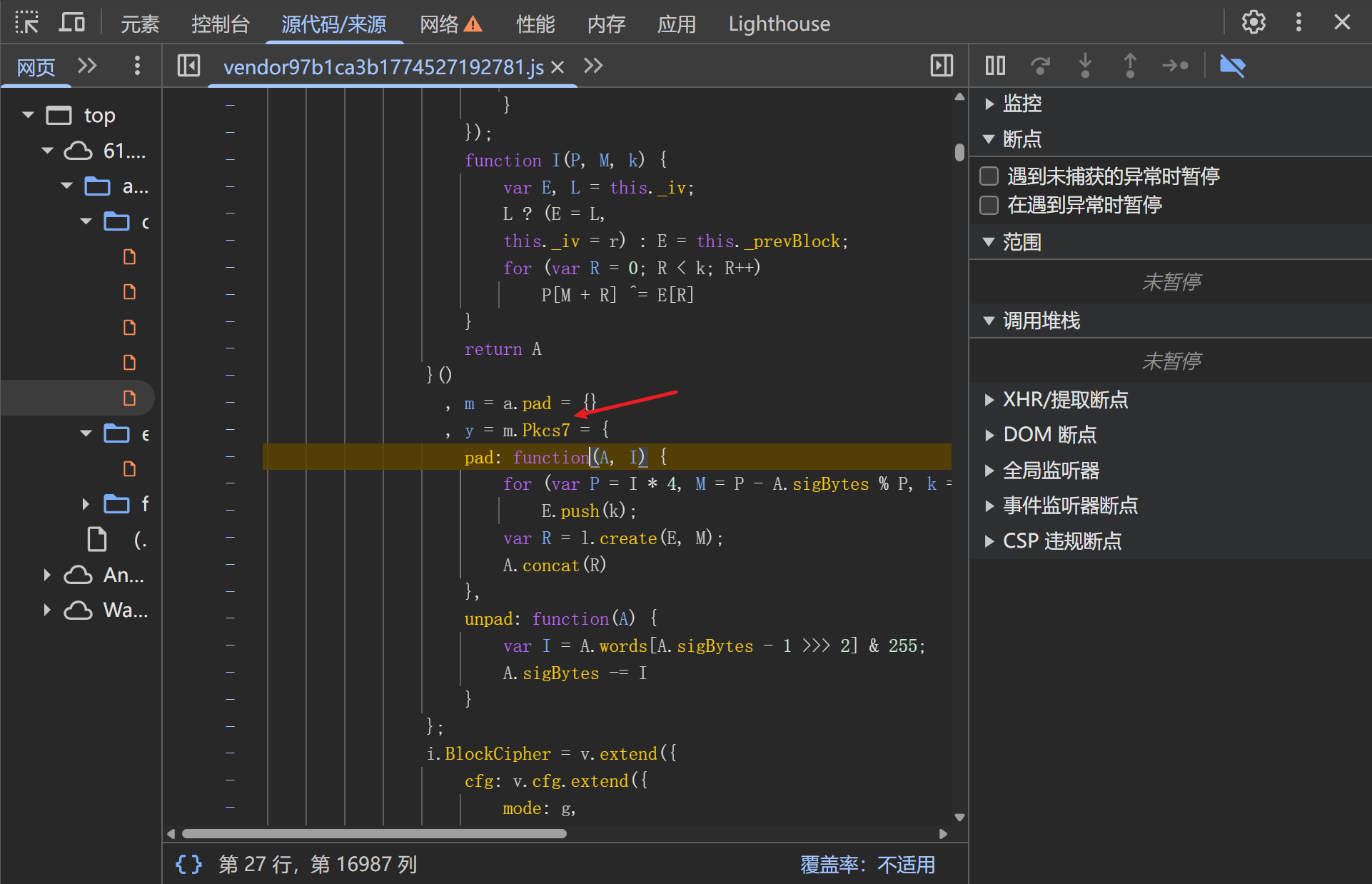
  1. Unobfuscated code

Click the padding code shown in the output to identify the padding scheme: 1780557134159 1780557159916
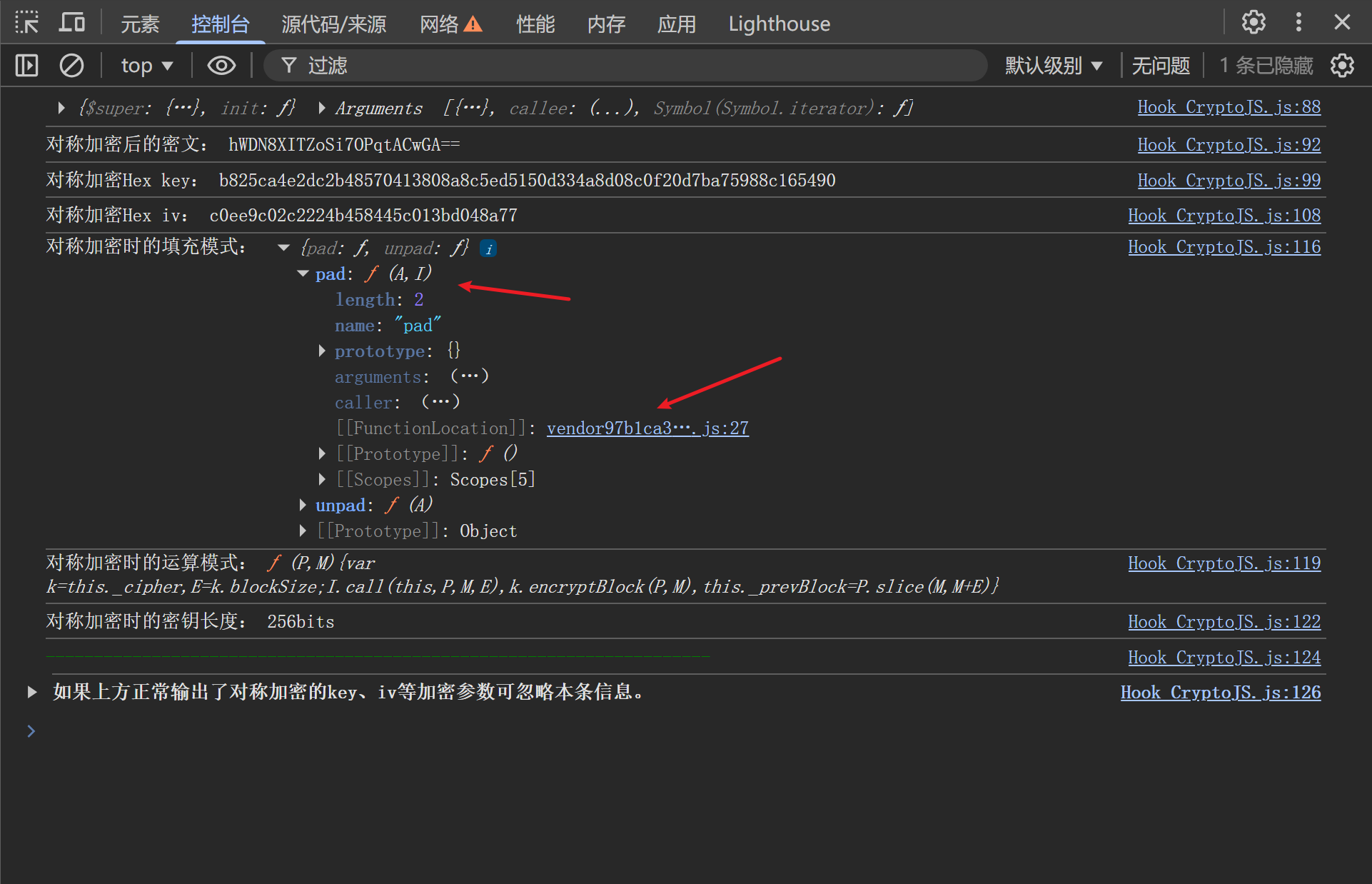
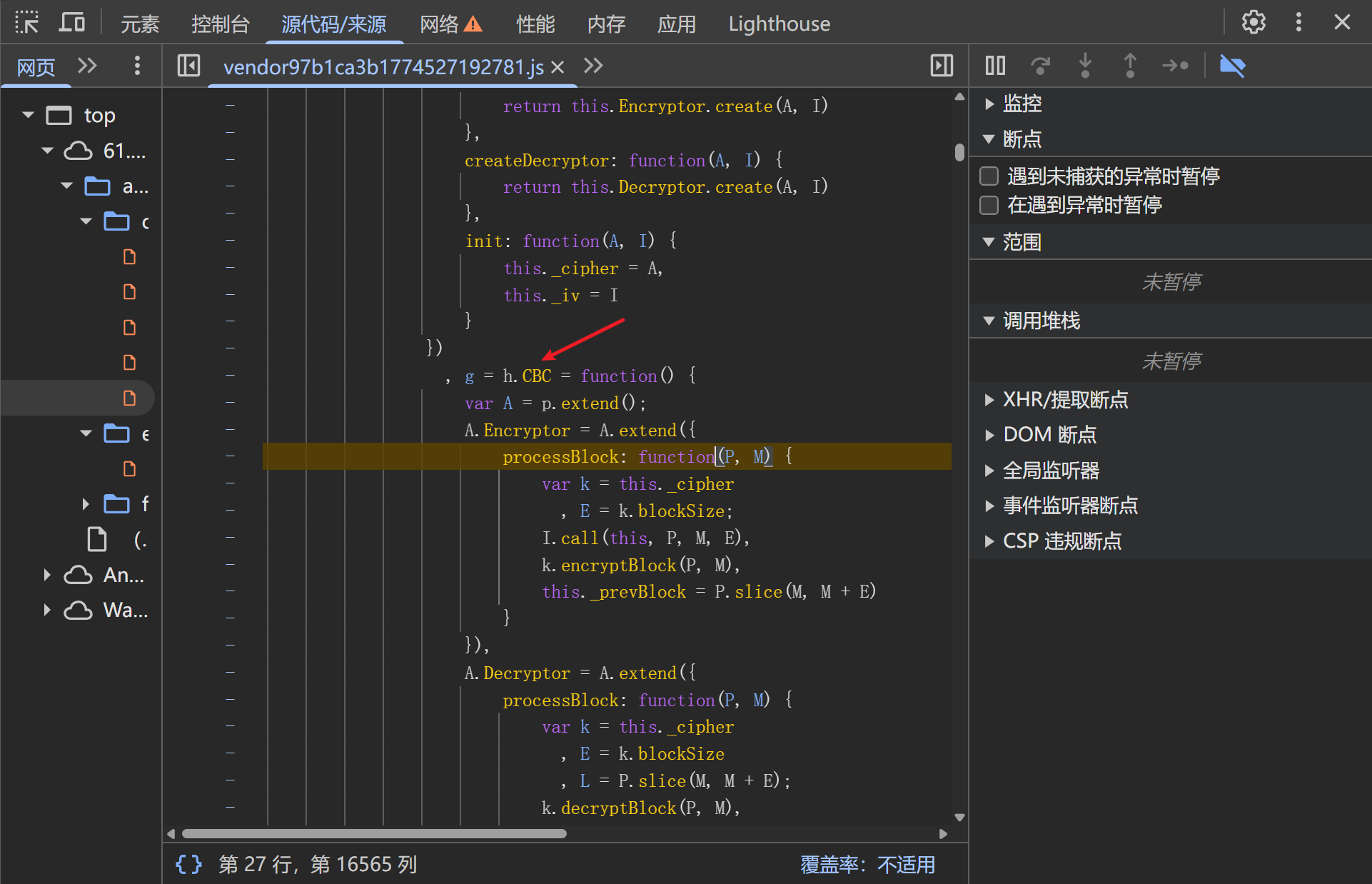
The cipher mode: 1780557176876 1780557184741

In both cases, identify the mode from the surrounding code.

  1. Obfuscated code

Identifying the mode can be harder when the code is obfuscated. For example, Yuanrenxue challenge 18: https://match.yuanrenxue.cn/match/18
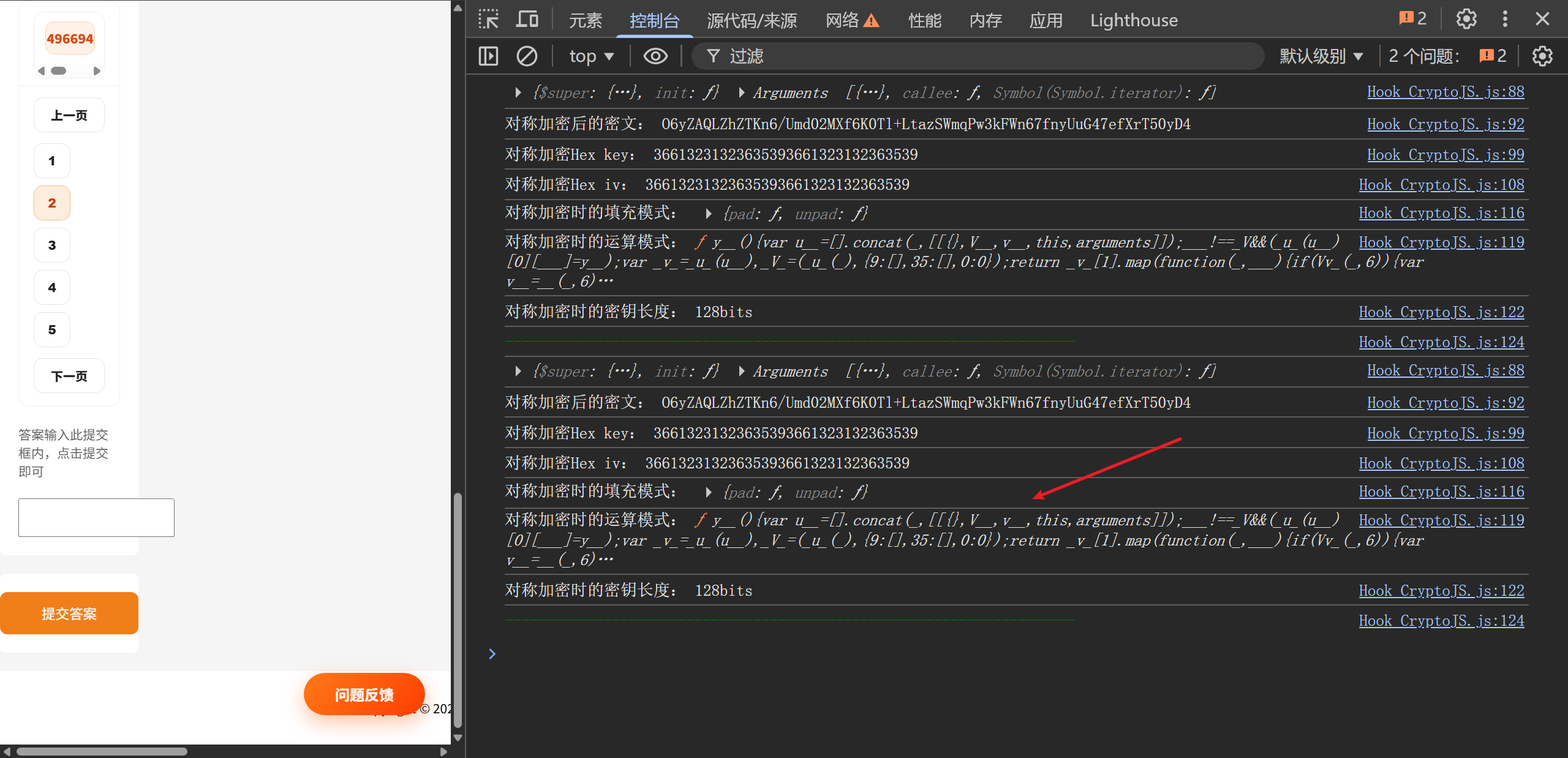
1780557406924

The code is heavily obfuscated, so the cipher mode is difficult to recognize:
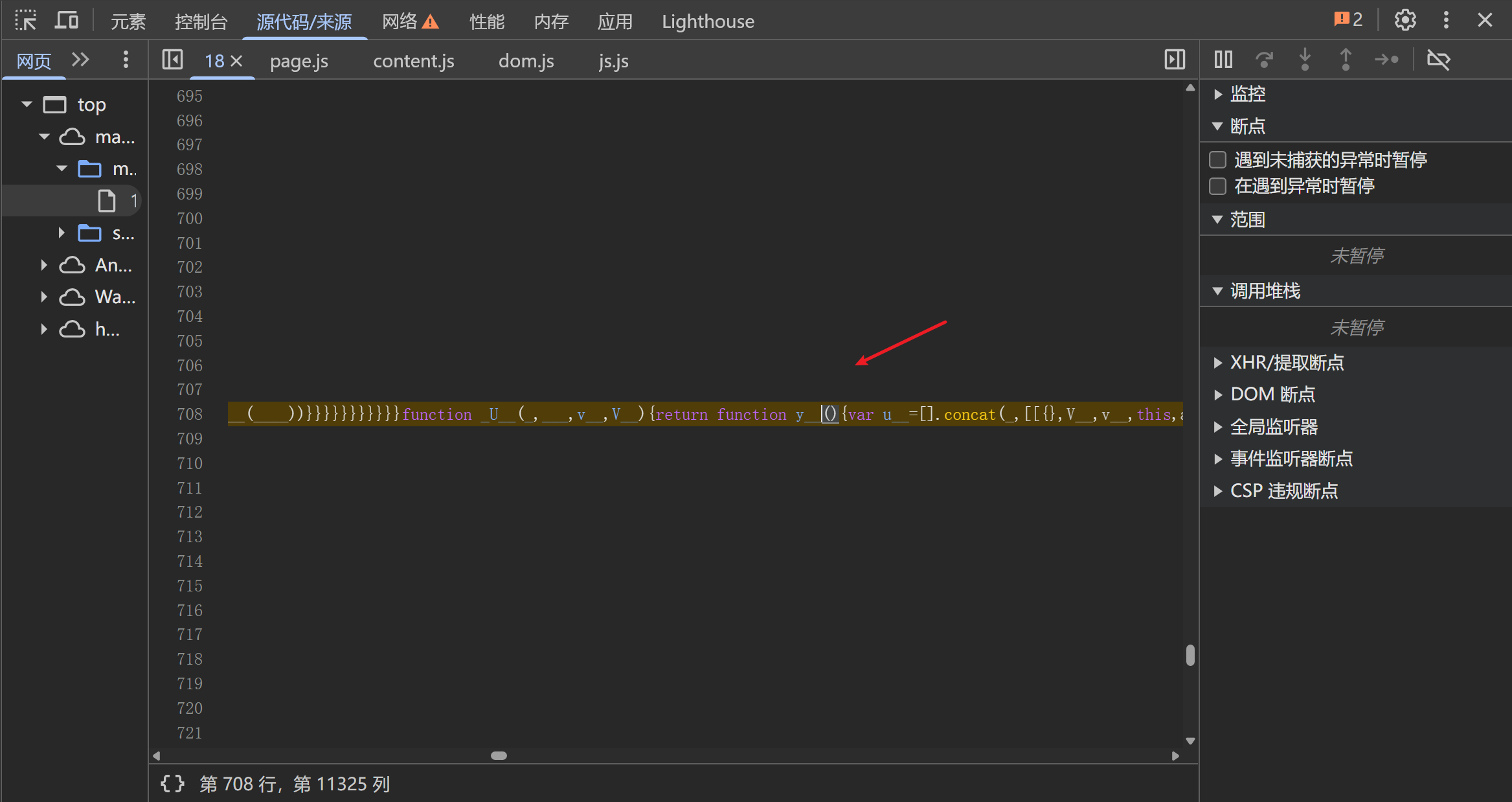
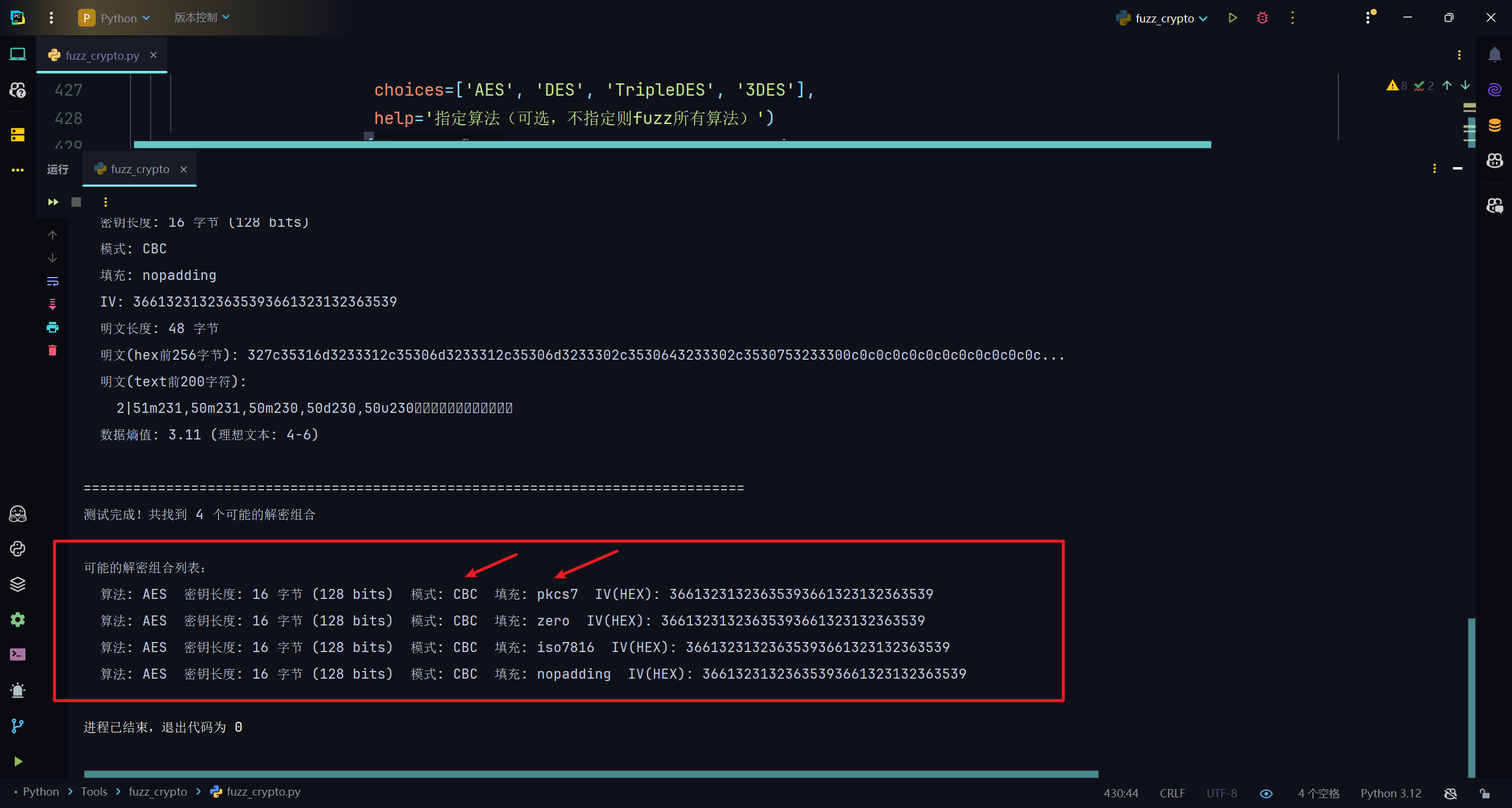
1780557420028 In this case, use my script for fuzzing symmetric decryption parameters, Fuzzๅฏน็งฐๅŠ ๅฏ†็ฎ—ๆณ•่งฃๅฏ†ๅ‚ๆ•ฐ: https://github.com/0xsdeo/Fuzz_Crypto_Algorithms
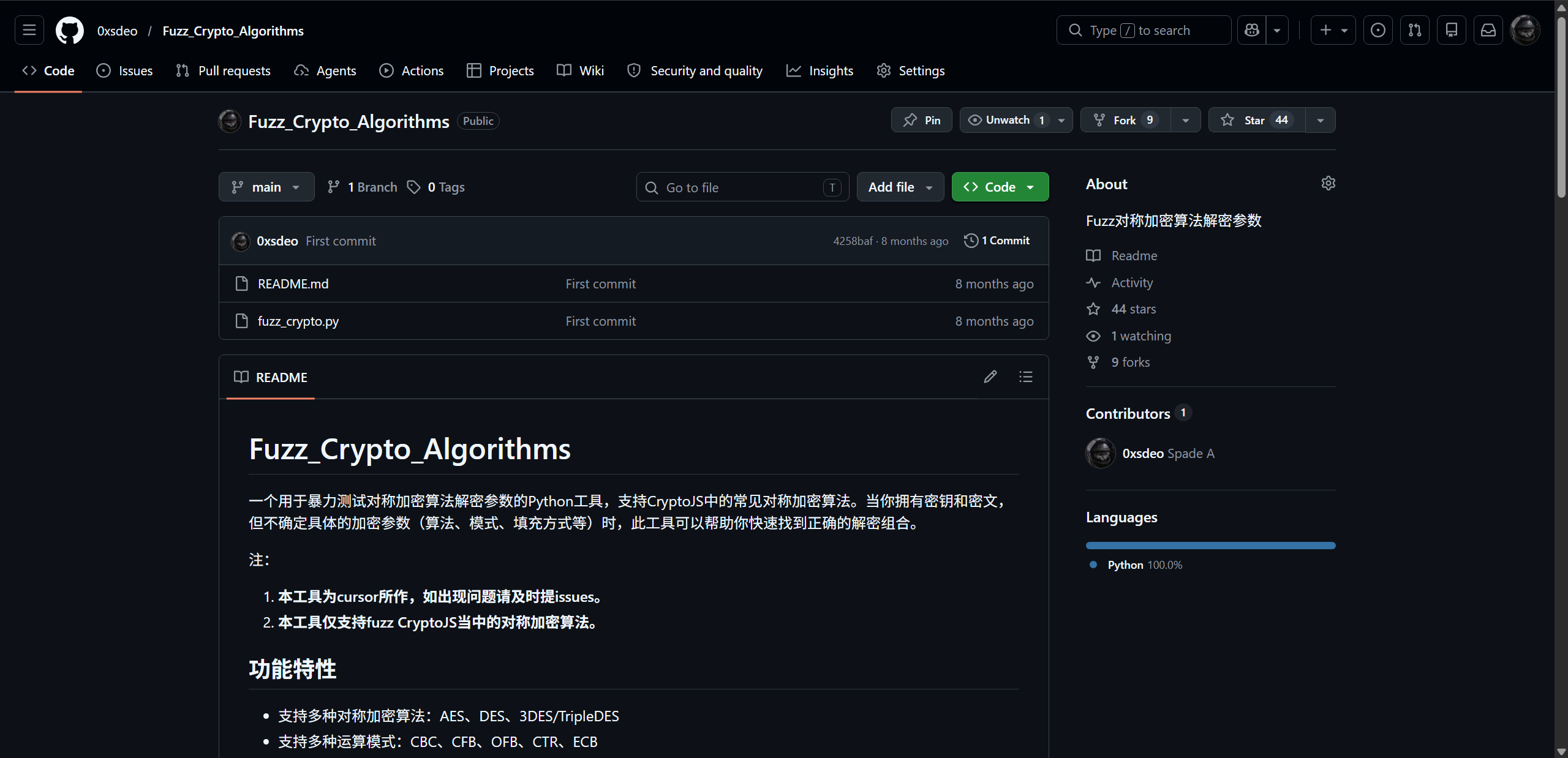
1780557452236 The result: 1780557767557

Successful decryption: 1780557820019

# Why can't I encrypt or decrypt?

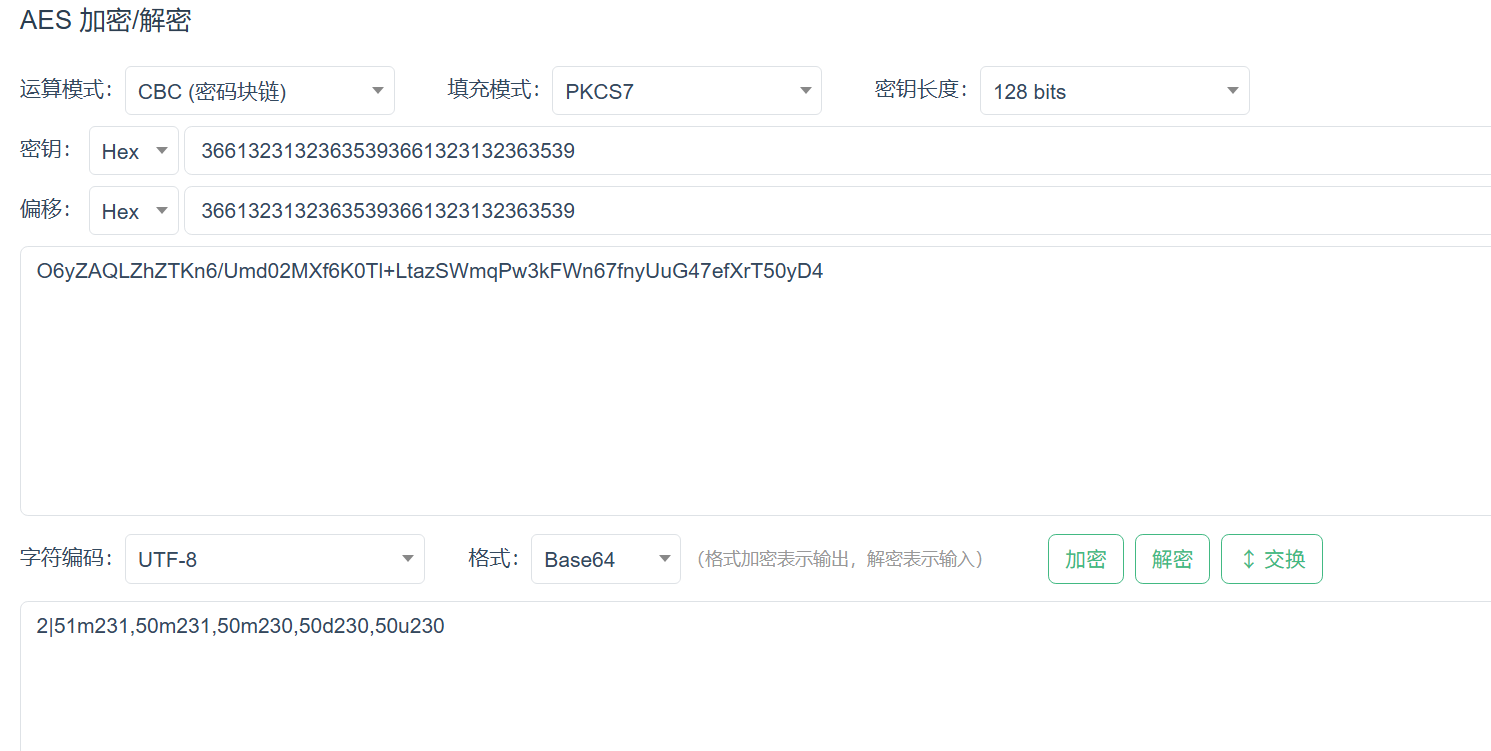
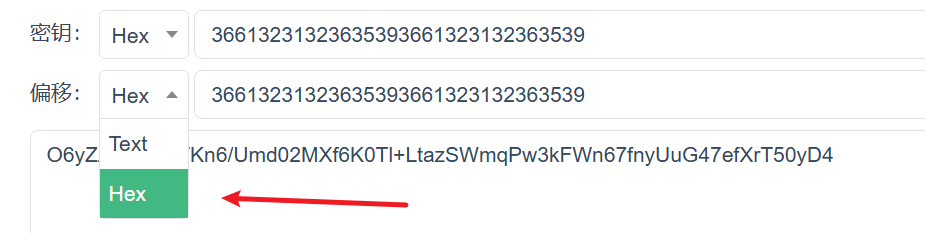
You may have selected the wrong input type for the key or IV. By default, the script prints both in hexadecimal: 1780557946711 1780557957740
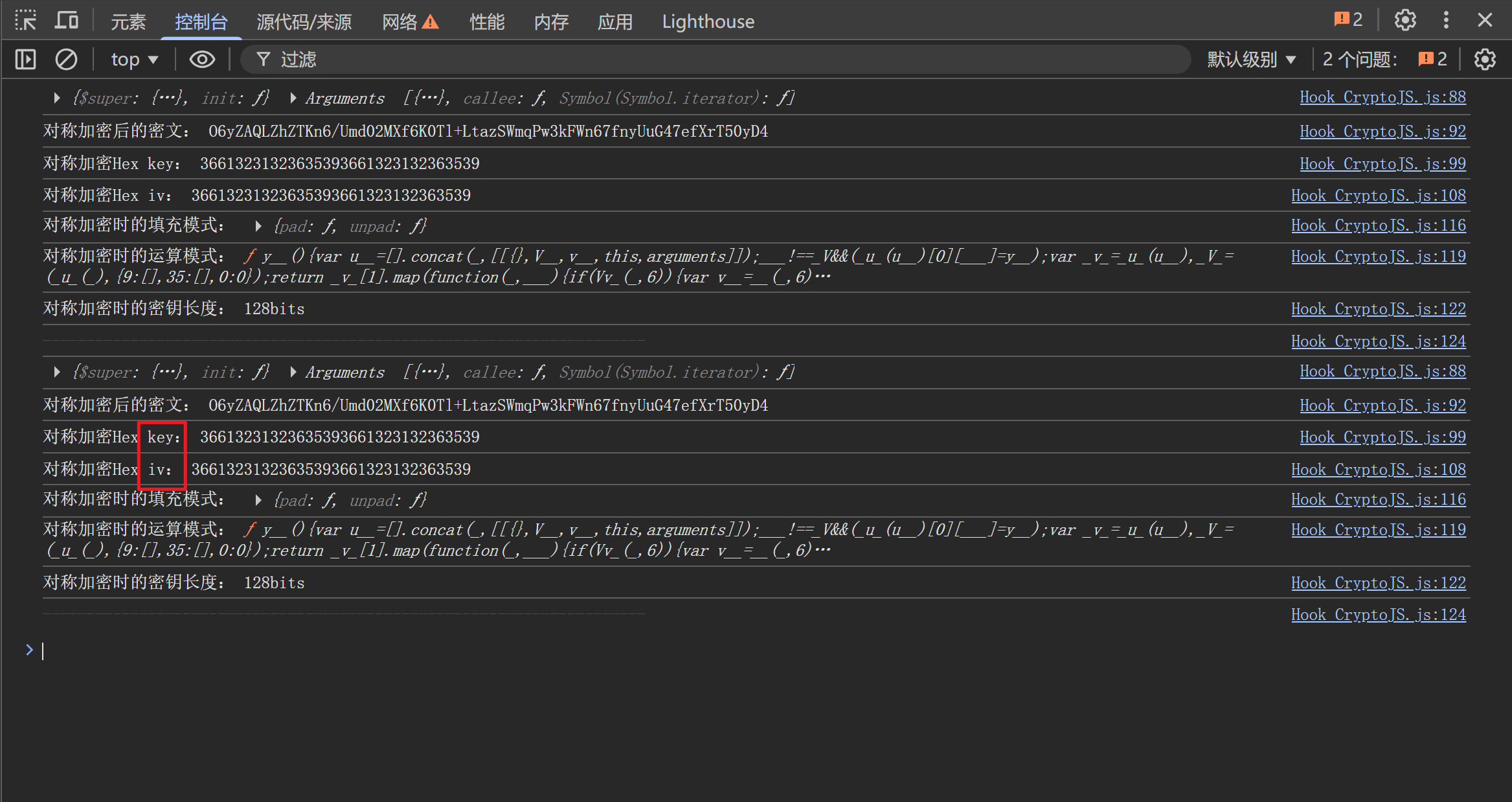
Make sure to account for this when using the values.

# Why is there no console output after enabling the script?

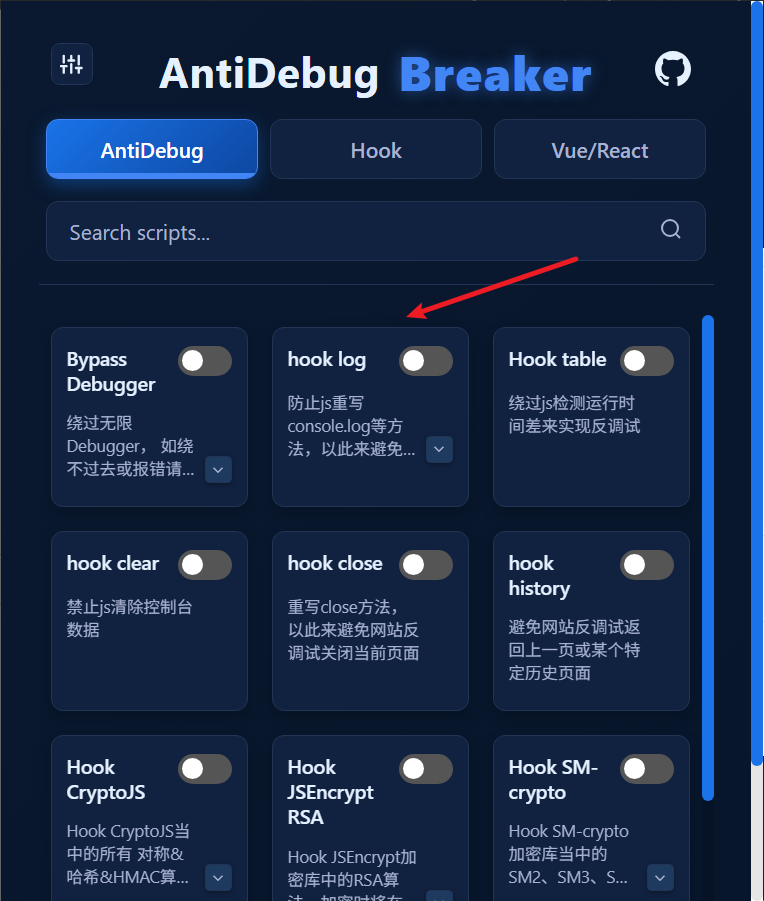
  1. console.log may have been disabled

Try enabling hook log to prevent JavaScript from overwriting the logging method.
  1. The website does not use CryptoJS for encryption

This script only logs cryptographic operations performed by CryptoJS. If the website uses another library for encryption or decryption, it will produce no output. If you have confirmed that the website uses CryptoJS but still see no output, contact me (WeChat: I-0xsdeo).

# How it works

See:

JavaScript Reverse Engineering โ€” Hooking All CryptoJS Symmetric Encryption Algorithms

JavaScript Reverse Engineering โ€” Hooking All CryptoJS Symmetric Encryption Algorithms, Part 2

Locate Page Redirect Code
Hook JSEncrypt RSA

โ† Locate Page Redirect Code Hook JSEncrypt RSAโ†’

Theme by Vdoing | Copyright ยฉ 2025-2026 0xsdeo
  • System
  • Light
  • Dark
  • Reading